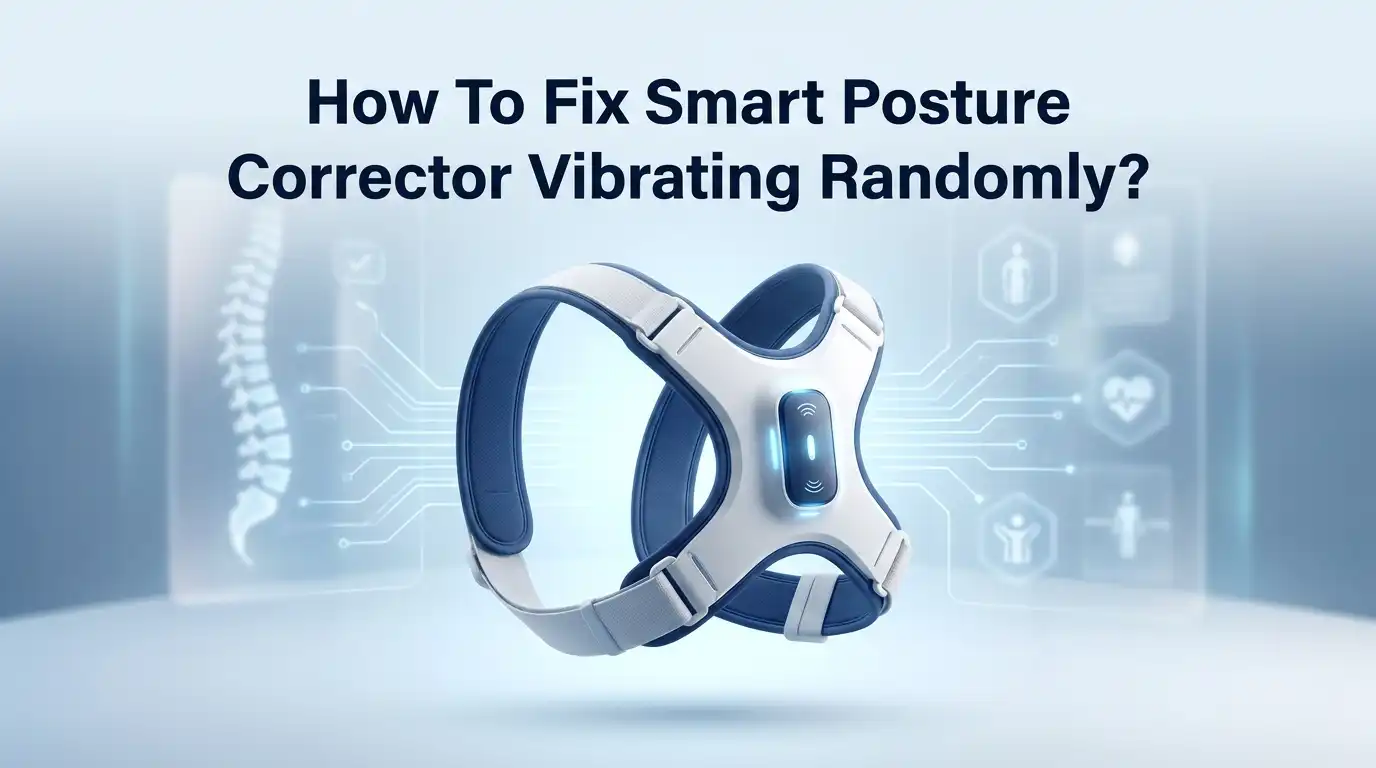
How To Fix Smart Posture Corrector Vibrating Randomly?
Your smart posture corrector should feel like a helpful coach. It gently buzzes when you slouch. But what happens when it buzzes for no reason at all?
This random vibrating can feel frustrating. You sit up straight, yet the device still shakes. You may even wonder if it is broken.
The good news is that this problem often has a simple fix. Most random vibrations point to a few common causes. These include loose wiring, battery issues, or a device that needs calibration.
In this guide, we will explore why your posture corrector vibrates randomly. We will walk through easy troubleshooting steps you can try at home.
In a Nutshell
- Check the battery first. Loose connections often cause random buzzing. Make sure batteries sit snugly in their compartment.
- Inspect for loose wiring. A faulty vibration motor or internal wire can trigger false alerts. Open the casing gently if you feel comfortable doing so.
- Recalibrate in training mode. Your device needs a proper posture baseline. Random vibrations often mean it never learned your correct posture.
- Adjust the fit properly. A loose or crooked corrector confuses the sensors. Proper placement helps it read your posture accurately.
- Review your vibration settings. Some devices let you tweak sensitivity. Lowering it slightly can reduce unnecessary buzzing.
- Know when to replace it. If nothing works, the motor might be defective. A replacement or refund may be your best option.
Why Your Posture Corrector Vibrates: Normal vs. Random Behavior
Your smart posture corrector vibrates for a specific reason. The device uses built-in sensors to detect when you slouch or lean forward. When slouching happens, the vibration motor activates to remind you to sit up straight. This is normal behavior and exactly how the device should work.
However, random vibration differs from intentional alerts. Normal vibrations occur only when the device detects actual posture changes. You should feel vibrations when you genuinely slouch. Random vibrations happen without any posture shift on your part. These unprompted buzzes signal a potential problem.
Understanding the difference matters for troubleshooting. A functioning device vibrates in response to your movements. If your corrector buzzes constantly or at odd times, something needs attention. Random vibrations typically point to hardware issues rather than sensor confusion.
Several factors cause this distinction. A loose battery connection creates electrical glitches that trigger false alerts. A faulty vibration motor may buzz without receiving proper signals. Internal wiring problems can cause the same effect. Sensor miscalibration might make the device overly sensitive, but this usually produces frequent vibrations rather than truly random ones.
Your device might also vibrate randomly if it needs recalibration. The sensors require a proper posture baseline to function correctly. Without proper setup, the device cannot distinguish between normal movement and slouching. Recalibration in training mode resets this baseline.
Pay attention to vibration patterns. Do they happen when you move in specific ways? Do they occur at particular times of day? Does the device vibrate more when it’s loose or tight? These details help you determine whether you have a sensor problem or a hardware defect. Identifying the pattern guides your next troubleshooting step.
Checking the Battery Compartment and Power Connections
Your battery compartment holds the key to solving many random vibration issues. Start by turning off your device completely before you begin any inspection.
Locate the battery compartment on your posture corrector. Most devices have this on the back or side of the unit. Open it carefully and examine the batteries themselves. Look for any signs of corrosion, dirt, or damage on the battery terminals.
Check each battery contact point. Press gently on the metal connectors inside the compartment. They should feel firm and make solid contact with the batteries. If connectors feel loose or wobbly, this often causes random vibrations. Dirt or oxidation on these connectors can also trigger false alerts.
Remove the batteries and inspect the compartment interior. Use a dry cloth to gently clean any dust or debris you find. Reinsert the batteries with confidence, making sure they sit flat and secure.
Look at the wiring connections next. If your device has an accessible interior, check for any wires that appear loose or disconnected from the vibration motor. Wires should sit snugly in their ports. A single loose wire can cause unpredictable buzzing.
Pay special attention to the connection between the battery compartment and the main circuit board. This junction point frequently becomes loose through normal wear and use.
After you finish checking everything, close the compartment securely. Power your device back on and observe whether the random vibrations stop. Many users find that loose battery connections account for most random vibration problems.
If vibrations continue after tightening all connections, you may need to move forward with recalibration or motor inspection.
Inspecting Internal Wiring and the Vibration Motor
Your vibration motor sits at the core of your device’s alert system. When random buzzing occurs, the issue often stems from how this motor connects to your main circuit board. Understanding these connections helps you identify whether repair is possible or replacement is necessary.
Start by locating the vibration motor inside your device. Most models place it near the battery compartment or along the side panel. Gently open your device following the manufacturer’s guidelines. Take photos as you go so you can remember where everything belongs.
Inspect all wires connected to the vibration motor. Look for loose connections where wires attach to the motor itself. Check if any wires appear frayed, bent, or disconnected from their contact points. A loose wire is the most common cause of random vibrations.
Next, trace the wiring path from the motor back to the main circuit board. Follow each wire carefully. Look for any areas where wires might be pinched, crushed, or rubbing against sharp edges inside the device.
Gently wiggle each wire connection while observing the motor. If the motor suddenly vibrates or stops vibrating during this test, you have found a loose connection. This loose wire is causing your random buzzing.
Check the solder joints where wires connect to the circuit board. Sometimes heat or movement causes these joints to crack. A cracked joint looks dull or has a visible gap compared to healthy connections.
If wires appear secure and solder joints look solid, your vibration motor itself may be faulty. A defective motor cannot be repaired and requires replacement. Document what you find so you can explain the issue clearly if you need to contact support or pursue a replacement option.
How to Recalibrate Your Device for Accurate Posture Detection
Recalibration fixes many random vibration problems. Your device learns what proper posture looks like when you set it up correctly. Most random vibrations happen because the sensors don’t have an accurate baseline to compare against.
Start by putting on your device in a comfortable, upright position. Sit with your shoulders back and your spine straight. Your head should align over your shoulders. This is your reference point for good posture.
Access your device’s settings menu or training mode. Most posture correctors have a button or app feature that lets you recalibrate. Look for options labeled “calibrate,” “reset,” or “training mode.” Press and hold the designated button until you see a light flash or hear a confirmation sound.
Hold your corrected posture for 10 to 15 seconds while the device learns this position. Stay still during this time. The sensors are recording your body’s angle and alignment. Don’t slouch or shift your weight around.
After calibration completes, test the device by deliberately slouching forward. The vibration should trigger within a few seconds. If it does, recalibration worked. If random vibrations continue, move to the next troubleshooting step.
Some devices require recalibration after battery replacement or if they’ve been inactive for weeks. Check your device manual for specific recalibration instructions. Different models have different procedures.
Proper calibration ensures your device responds to actual slouching, not sensor confusion. If recalibration doesn’t stop the random vibrations, the problem likely involves hardware rather than settings. Document exactly when vibrations occur so you can report this information if you need to pursue a replacement.
Adjusting Vibration Sensitivity and Alert Settings
Your posture corrector has built in settings that control how sensitive the vibration response is. These settings matter because overly sensitive sensors trigger alerts when you haven’t actually slouched. Learning to adjust these controls stops many random vibration problems.
Start by accessing your device’s settings menu or control panel. Most posture correctors have a sensitivity slider or numbered levels. Lower numbers mean the device vibrates less often. Higher numbers mean it responds to smaller posture changes. Begin at a medium setting if you’re unsure where to start.
Test your device at this medium level for one full day. Wear it during normal activities like sitting at your desk, walking, and standing. Notice how many times it vibrates. If vibrations feel excessive, lower the sensitivity by one step. If you barely feel any alerts, raise it slightly.
Alert settings also control when vibrations occur. Some devices let you choose between constant monitoring and scheduled training sessions. Training mode activates vibration reminders only during specific hours. This prevents random buzzing when you’re not actively working on posture improvement.
Check if your device has a “quiet hours” feature. This setting lets you disable vibrations during meetings, calls, or sleep. Enabling quiet hours prevents false alarms during times when slouching is unavoidable.
After adjusting sensitivity and alert settings, give your device at least three days to prove itself. Your body needs time to adapt to the new vibration frequency. Keep a quick log of when vibrations occur. This helps you spot patterns. If random vibrations continue after adjustment, the issue likely stems from hardware problems rather than settings.
Proper Fit and Wear Techniques to Prevent False Triggers
Your smart posture corrector works best when you wear it correctly. Improper fit causes false vibration triggers that feel like random buzzing. Let’s fix this.
First, position the device at the correct height on your upper back. The sensors need to sit directly between your shoulder blades. If you wear it too low or too high, sensors misread your actual posture and send false alerts. Check your device manual for the exact placement zone.
Next, secure all straps firmly but comfortably. Loose straps let the device shift around during normal movement. This movement tricks sensors into thinking you’re slouching when you’re actually sitting straight. Tighten each strap so the device stays still against your body.
Make sure the device sits flat against your back. Bunching fabric underneath creates gaps that confuse sensors. Wear it directly over a fitted shirt or directly on skin if your device allows this. Gaps between the device and your body cause inconsistent sensor readings.
Check that the device isn’t twisted or rotated. Even a slight angle changes how sensors detect your spine position. Your back should feel the device pressing evenly across the upper back area.
Wear your device for consistent periods each day. Your body needs time to adjust to the fit. Random vibrations often stop after three to five days of proper wear as your device learns your actual posture baseline.
Test your fit by standing in front of a mirror. Your posture corrector should look centered and level. If it tilts to one side, readjust the straps. Proper fit eliminates most false vibration triggers and makes training sessions more effective.
Common Mistakes That Lead to Persistent Vibration Issues
Many people make simple mistakes that cause their posture corrector to vibrate randomly. Understanding these errors helps you fix the problem quickly.
Ignoring vibration alerts instead of treating them as training opportunities is a major mistake. Your device sends vibrations for a reason. When you feel a buzz, you should stop and adjust your position immediately. Many users dismiss these alerts as annoying rather than helpful. This approach defeats the device’s purpose. Each vibration is a mini training session that teaches your body proper alignment.
Failing to adjust your position after vibration cues compounds the problem. Some people receive a vibration but continue slouching. Your device then keeps buzzing because the slouching continues. This creates a cycle of constant vibrations. The solution is simple: sit up straight and hold that position for several seconds after each alert.
Improper device adjustment or inconsistent wear schedules also trigger false vibrations. If your device sits too low on your back, it may detect normal movement as slouching. Straps that are too loose allow the device to shift position throughout the day. This shifting causes sensors to send incorrect signals to the vibration motor.
Wearing your device inconsistently prevents your body from learning proper posture. Your device needs regular contact with your body to establish baseline posture patterns. Sporadic use confuses the sensors about what your normal position should be.
Not recalibrating after long breaks is another common error. If you stop wearing your device for weeks, the sensor baseline drifts. When you restart using it, the device may vibrate constantly because it no longer recognizes your actual posture.
When to Consider a Replacement or Refund
If your smart posture corrector continues vibrating randomly after troubleshooting, replacement or refund might be your best option. Random vibrations that don’t stop suggest a hardware problem rather than a user error.
Start by checking your device’s warranty coverage. Most posture correctors come with a standard warranty period. Review your purchase documentation to see what defects qualify for replacement. Hardware failures like faulty vibration motors typically fall under warranty protection.
Document the problem before contacting support. Take photos or videos showing the random vibrations occurring. Note when they happen, how frequently they occur, and what you’ve already tried to fix them. This evidence helps support teams process your request faster.
Contact the manufacturer’s customer service directly. Explain that you’ve completed all troubleshooting steps without success. Be specific about which fixes you attempted. Most companies have simple processes for handling defective units.
Request either a replacement device or refund. Many manufacturers prefer sending a replacement so you can continue your posture training without interruption. Some offer refunds if you prefer to try a different brand or model.
Check return shipping policies before agreeing to anything. Some companies cover return costs for defective products. Others require you to pay for shipping. Understanding these details helps you make an informed decision.
Keep all communication records with the manufacturer. Save emails and note dates of phone calls. This documentation protects you if disputes arise about warranty coverage or refund eligibility.
If your device is outside the warranty period, contact support anyway. Many companies offer goodwill replacements or discounts on new models. It never hurts to ask about available options for loyal customers.
Final Thoughts
Random vibrations don’t mean your posture corrector is broken beyond help. Most issues come from simple fixes like recalibration or fit adjustments.
Start with the basics before assuming the worst. Check your battery connections and confirm the straps sit correctly on your back.
Recalibration solves many problems. Switch your device to training mode and let it learn your natural posture baseline again. This step alone fixes most random triggering issues.
Give your fixes time to work. Your body and device need a few days to sync properly. Don’t panic after one bad session.
Remember that every vibration is a chance to learn better posture habits. Instead of feeling frustrated, use each buzz as a cue to sit up straight.
If you’ve tried recalibrating, adjusting fit, and checking hardware connections without success, it’s time to contact the manufacturer. A continuous or truly random buzz that ignores your movements often points to a motor or wiring defect.
Don’t ignore warranty options. Most smart posture correctors include coverage for defects like this. Document your troubleshooting attempts and reach out to customer support.
Think of your posture corrector as a training partner, not just a gadget. It works best when you actively respond to its cues rather than dismissing them.
Consistency matters more than perfection. Wear your device regularly, adjust it properly, and recalibrate when needed. These habits prevent most vibration problems from happening again.
With patience and the right troubleshooting steps, you can get your device working smoothly. And if hardware issues persist, a replacement or refund keeps you on track toward better posture without unnecessary frustration.
Frequently Asked Questions
Why is my posture corrector vibrating when I’m sitting correctly?
Your device may have calibration issues. The sensor baseline might not match your actual posture. Switch to training mode and let the device relearn your natural sitting position. This takes about 5 to 10 minutes. Ensure you’re sitting in your normal, comfortable posture during this process.
Also check that your device fits snugly against your back. Loose positioning causes sensors to misread your posture and trigger false vibrations.
Could loose battery connections cause random vibrations?
Yes, absolutely. Open your battery compartment and inspect all connections carefully. Make sure the battery sits firmly in place. Corrosion or loose contacts create electrical glitches that trigger vibrations.
Gently clean the battery contacts with a dry cloth if you see any discoloration. Reinsert the battery and close the compartment securely.
What does continuous vibration mean versus occasional buzzing?
Occasional vibrations are normal and mean your device is working correctly. These remind you to adjust your posture. Continuous buzzing typically signals a hardware problem like a faulty vibration motor or internal wiring issue.
If vibrations never stop, even when you sit perfectly straight, this suggests a motor defect rather than a sensor error.
Should I adjust vibration sensitivity settings myself?
Yes, you can reduce sensitivity through your device controls. Lower sensitivity means fewer false alerts. Start by decreasing sensitivity by one or two levels and monitor results over a few days.
If random vibrations persist after adjusting settings and recalibrating, the issue likely involves hardware rather than settings.

Hi, I’m Rue Hessel, the founder and voice behind TheGenTool. I’m a passionate tech enthusiast who loves exploring the latest gadgets, smart devices, and electronics that shape our everyday lives. Through my website, I share honest, hands-on reviews of trending Amazon products to help you make smarter and more confident buying decisions.