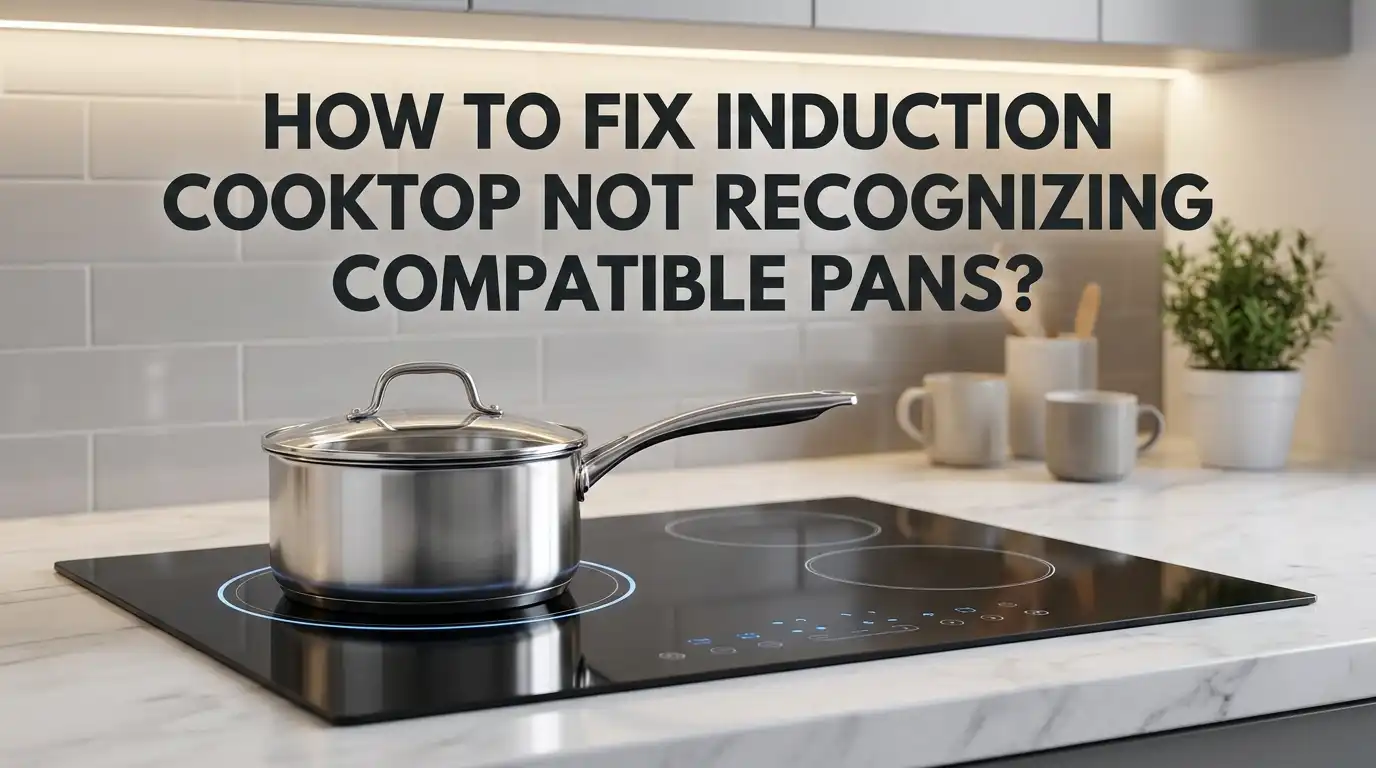
How To Fix Induction Cooktop Not Recognizing Compatible Pans?
Does your induction cooktop refuse to recognize your pan? You are not alone. This is one of the most common frustrations with induction cooking.
Induction cooktops are smart. They only work with certain types of cookware. When they cannot detect a compatible pan, cooking stops before it even starts.
The good news? Most of these issues have simple fixes. Sometimes the problem is your cookware. Other times, it is about placement, cleanliness, or a simple sensor glitch.
In a Nutshell
- Check pan compatibility first. Use a magnet test on the base. If it sticks strongly, your pan will work with the cooktop.
- Clean and dry the pan bottom. Dirt, water, or grease can block proper sensor contact. A clean surface helps detection work better.
- Center your pan on the cooking zone. Off center placement often causes the cooktop to miss the pan completely.
- Look for a flat, even base. Warped or uneven pans break contact with the surface. This stops the magnetic connection from forming.
- Reset your cooktop when needed. Unplug it for a few minutes. This can clear minor sensor glitches or temporary faults.
- Inspect for deeper problems. Faulty sensors or a damaged control board may need a technician. This happens less often but still occurs.
Why Induction Cooktops Fail To Detect Pans
Induction cooktops use magnetic fields to heat cookware directly. They require ferromagnetic materials like iron or steel to work properly. When your cooktop fails to recognize a pan, something blocks this magnetic connection.
The most common reason is cookware incompatibility. Not all pans work with induction. Aluminum, copper, and glass cookware won’t stick to a magnet. Your cooktop’s sensors simply cannot detect these materials because they lack the magnetic properties needed.
Pan placement matters too. Even compatible pans fail to register if they sit off center or don’t make full contact with the cooking zone. Induction cooktops need the pan base to cover most of the zone surface for sensors to activate.
A dirty or wet pan bottom creates a barrier between your cookware and the cooktop surface. This gap prevents proper magnetic connection. Moisture and food residue act like insulators that block detection signals.
Warped or uneven pan bases also cause recognition failures. When pans are damaged or bent, they rock on the cooktop instead of sitting flat. This inconsistent contact confuses the detection system.
Internal sensor faults represent another reason for detection problems. Your cooktop contains sensors that identify compatible cookware. If these sensors malfunction, they cannot recognize even suitable pans.
The control board may also fail. This electronic component processes signals from sensors and activates heating. A defective board stops the cooktop from responding to any pan.
Power supply issues can prevent the entire system from functioning. Insufficient power reaches the sensors and control board, leaving them unable to detect cookware.
Understanding these causes helps you troubleshoot effectively. Start by ruling out the simplest problems first, then move toward more complex equipment issues.
How To Test If Your Cookware Is Truly Induction-Compatible
The magnet test is your first and easiest way to check if your cookware will work with an induction cooktop. Take a regular refrigerator magnet and place it on the bottom of your pan. If the magnet sticks firmly, your pan is ferromagnetic and should work.
A weak magnet attraction means your cookware may not heat properly. The magnet should not slide off easily. If it falls immediately, your pan lacks the magnetic properties induction cooktops need.
Beyond the magnet test, examine your pan’s base carefully. Look for a completely flat surface with no dents or warping. Run your fingers across the bottom to feel for unevenness. Induction cooktops require full contact between the pan base and the cooking zone. Even small gaps prevent proper heat transfer and recognition.
Check the pan material next. Cast iron, stainless steel with magnetic properties, and some enameled cookware work well. Copper, aluminum, and glass alone do not work because they lack ferromagnetic qualities.
Clean the pan bottom thoroughly before testing on your cooktop. Dust, food residue, or moisture creates a barrier that interferes with magnetic detection. Dry the base completely with a clean cloth.
Place your pan directly on the cooking zone and center it carefully. The cooktop sensors detect the pan’s magnetic field most effectively when the pan sits in the middle of the zone. Offset or tilted pans may not register.
Test different pans if you have them available. This helps you identify whether the problem is specific to one pan or affects all your cookware. If multiple compatible pans fail to register, your cooktop likely has a sensor or control board issue rather than a cookware problem.
Step-by-Step Fixes for Pan Recognition Problems
Start by performing the magnet test on your cookware. Take a strong magnet and hold it against the bottom of your pan. If the magnet sticks firmly, your pan is ferromagnetic and should work. A weak or no magnetic response means your cookware is incompatible with induction cooking.
Next, inspect your pan’s bottom surface closely. Look for any warping, dents, or uneven areas. Run your fingers across the base to feel for irregularities. A flat, smooth bottom ensures proper contact with the cooktop surface.
Clean both your pan and the cooktop thoroughly. Use a soft cloth to wipe the pan’s base completely dry. Remove any food residue, mineral deposits, or moisture. Wipe the cooktop surface clean as well. Dirt and water create barriers that prevent magnetic detection.
Place your pan directly in the center of the cooking zone. Press down gently to ensure full contact. The cooktop sensors need direct contact with your cookware to recognize it. Off-center placement often causes recognition failures.
If your pan passes these checks, move to cooktop troubleshooting. Unplug the unit for five to ten minutes to reset the system. This clears temporary sensor errors and restarts the detection mechanism.
Plug the cooktop back in and test again with your pan. Place it centered on the zone and press the power button. If the cooktop still doesn’t recognize your pan, try a different cooking zone.
Test with another induction-compatible pan if available. This helps determine whether the problem is your cookware or the cooktop itself. A different pan that works narrows down the issue to your original cookware. A different pan that fails suggests a deeper cooktop malfunction requiring professional inspection.
Proper Pan Placement and Surface Contact Tips
When your induction cooktop fails to recognize a compatible pan, proper placement and surface contact become critical. These two factors alone solve most detection problems.
Start by positioning your pan in the center of the cooking zone. Induction cooktops have sensors that work best when cookware sits directly over the heating element. If you place your pan too far to the side or corner, the magnetic field cannot reach it effectively. Move your pan around slightly until you hear a beep or see the heat indicator activate.
Next, ensure your pan sits completely flat on the cooktop surface. Even tiny gaps between the pan bottom and the cooktop prevent proper contact. A warped or curved base means the sensors cannot detect the magnetic properties of your cookware. Press down gently on your pan to check if it rocks or wobbles.
The surface condition matters significantly. A dirty, greasy, or wet pan bottom blocks the magnetic connection. Clean both your pan’s base and the cooktop surface with a dry cloth before each use. Remove any residue, water droplets, or cooking debris. This simple step resolves many false detection failures.
Make sure your pan covers enough of the cooking zone. Most induction cooktops require pans with a minimum diameter. Tiny pots or skillets may fall below the sensor’s recognition threshold. Check your cooktop’s manual for the minimum pan size requirement.
Test your placement by starting with a larger, heavier pan first. If that pan works, you know your cooktop functions properly. Then test your smaller cookware. This approach helps you identify whether the issue stems from poor placement or actual cooktop malfunction.
Resetting and Calibrating Your Cooktop’s Sensors
Your induction cooktop has built in sensors that detect cookware. Sometimes these sensors need a fresh start to work properly again. A reset can clear minor glitches that prevent pan recognition.
Start with a complete power reset. Unplug your cooktop from the electrical outlet. Wait for at least five to ten minutes. This gives the internal circuits time to fully discharge. Plug the cooktop back in and test it with your compatible pan. Many recognition issues disappear after this simple reset.
Some cooktops have a manual reset button. Check your user manual to find its location. Press and hold this button for the time specified in your instructions. This action restarts the cooktop’s computer system without unplugging.
Calibration is your next step if resetting doesn’t work. Some models include a calibration mode you can access through the control panel. Consult your manual for the exact button sequence. Calibration helps the sensors relearn how to detect cookware correctly. This process typically takes just a few minutes.
During calibration, place a known induction compatible pan on the cooktop. The system uses this pan to recalibrate its sensor sensitivity. Follow all on screen prompts carefully. Do not remove the pan until the process finishes.
If your cooktop has no calibration feature, the sensors may have a fault. This requires professional repair or replacement. A defective sensor cannot be fixed through resetting alone.
Test your cooktop with multiple pans after resetting or calibrating. Different sized pans help confirm the sensors work properly across all zones. If problems continue, contact a repair specialist to inspect the internal components.
Common Mistakes That Cause Detection Failures
Many people make simple errors that prevent their induction cooktop from recognizing perfectly good pans. Understanding these mistakes helps you fix the problem faster.
Using the wrong cookware material is the biggest culprit. Induction cooktops only work with ferromagnetic metals like cast iron or stainless steel. Aluminum, copper, and glass won’t work. If your pan doesn’t attract a magnet strongly, your cooktop won’t detect it.
Placing your pan off center causes detection failures too. The sensor sits in the middle of each cooking zone. When you position your pan to the side, the sensor can’t locate it properly. Always center your cookware directly over the zone.
Dirty or wet pan bases block the magnetic connection. Grease, water, or food residue creates a barrier between your pan and the cooktop surface. This prevents proper sensor contact. Wipe your pan bottom clean and dry before cooking.
Warped or uneven pan bottoms also trigger recognition problems. If your pan rocks on the cooktop surface, it won’t sit flat enough for the sensor to work. Check that your pan lies completely flat without wobbling.
Insufficient pan size matters more than you think. Your pan must cover enough of the cooking zone for the sensor to detect it. Tiny pans or cookware with very narrow bases may not register.
Placing pans on the cooktop while it’s powered off sometimes confuses the sensor. Some models need to detect the pan after powering on. Try turning your cooktop on with the pan already centered in place.
These common mistakes account for most detection failures. Fix them first before assuming your cooktop has a sensor problem.
When To Suspect a Sensor or Control Board Malfunction
When your induction cooktop continues to fail recognition after you’ve verified pan compatibility and checked placement, a sensor or control board malfunction likely exists. These internal components control how your cooktop detects cookware.
Your cooktop’s sensors send signals to detect ferromagnetic materials beneath the surface. When sensors fail, they can’t communicate with your pan even if everything else is correct. You’ll notice the cooktop stays silent or shows error codes when you place a compatible pan down.
Control board failures happen when the circuit that processes sensor signals breaks down. The board receives information from sensors but can’t interpret it properly. This results in your cooktop refusing to activate regardless of what pan you use.
Here’s how to suspect a real malfunction. Test with at least three different induction compatible pans across multiple cooking zones. If none work anywhere on the cooktop, internal failure is likely. If only one zone fails while others work fine, that specific sensor probably has an issue.
Pay attention to error codes or warning lights on your display. These messages indicate specific problems within the cooktop’s system. Consult your user manual to decode what these warnings mean.
Another sign involves inconsistent behavior. Your cooktop might recognize a pan sometimes but not other times, even with identical placement. This randomness suggests a sensor losing connection or a control board becoming unstable.
Age matters too. Cooktops older than five years are more prone to sensor degradation. Electrical surges or power fluctuations can also damage internal components suddenly.
At this point, professional repair or replacement becomes your best option. Internal repairs require specialized tools and knowledge that go beyond basic troubleshooting.
Maintenance Habits That Prevent Future Recognition Issues
Keep your induction cooktop working smoothly by following simple maintenance habits. These practices stop recognition problems before they start.
Clean your cooktop surface regularly. Dust, food residue, and spills block the magnetic connection between your pan and the cooktop. Wipe the glass surface with a soft cloth after each use. Use a cooktop cleaner designed for glass surfaces when needed. A clean surface means better sensor detection every single time.
Inspect your pan bases frequently. Turn your cookware upside down and look for warping, dents, or uneven spots. Run your hand across the bottom to feel for irregularities. Damaged pan bases prevent proper contact with the cooktop surface. Replace pans that show signs of wear or deformation.
Keep pan bases dry before cooking. Moisture on the bottom of your cookware interferes with magnetic detection. Always dry your pans completely after washing. Store them in a dry location away from humidity.
Use the magnet test monthly. Place a magnet on the base of each pan you own. It should stick firmly and not slide off easily. This quick check confirms your cookware stays induction compatible. Test new pans before using them on your cooktop.
Check your cooktop’s sensor area. Look for any debris or buildup around the detection zone beneath the glass. Gently clean this area with a soft cloth if needed.
Verify cooktop placement. Make sure your cooktop sits on a level, stable surface. An uneven cooktop affects how sensors detect pans. These simple habits take just minutes but prevent frustrating recognition failures for years to come.
Final Thoughts
Fixing pan recognition problems does not need to feel complicated. Most issues trace back to simple things like cookware material, placement, or a dirty surface.
Start with the magnet test every time you buy new cookware. This quick check saves you from frustration later.
Keep your pans clean, dry, and centered on the cooktop. These small habits solve the majority of detection problems instantly.
If basic fixes do not work, try resetting your cooktop. Unplug it for a few minutes, then plug it back in.
This simple reset often clears temporary glitches in the sensor system. Many users find this step fixes stubborn recognition issues.
Watch for warning signs of a deeper problem. Error codes, flickering lights, or inconsistent detection point toward sensor or control board trouble.
Older cooktops face more wear on internal components. If your unit is several years old, malfunction becomes more likely.
Regular maintenance keeps small problems from becoming big ones. Clean your cooktop weekly and check your pans monthly.
Store cookware properly to prevent warping or damage. A flat, dry pan bottom makes all the difference in detection.
Do not ignore repeated recognition failures. They often signal that something needs attention, whether it is your cookware or the cooktop itself.
When simple troubleshooting fails, professional help becomes necessary. A technician can diagnose sensor or control board issues accurately.
Replacing cookware is often cheaper than repairing a cooktop. Weigh your options before committing to expensive repairs.
With the right habits and knowledge, you can prevent most pan recognition issues. Stay proactive, and your induction cooktop will serve you well for years to come.
Frequently Asked Questions
Why does my induction cooktop say my pan is incompatible when it worked before?
Your pan may have developed a problem over time. Warping or damage to the bottom surface reduces magnetic contact with the cooktop. Check if the base is flat by placing it on a table and seeing if it rocks. Moisture or food residue on the pan bottom also blocks detection. Clean the base thoroughly and dry it completely before testing again.
Another reason involves cooktop sensor wear. Older cooktops experience internal degradation. If your pan passes the magnet test but still fails, the cooktop’s detection system may need professional inspection.
Can I use a magnet to test if my pan will work on induction?
Yes. This is the fastest way to check compatibility. A strong magnet should stick firmly to the pan’s base without falling off. If the magnet barely sticks or falls away, your cookware lacks sufficient ferromagnetic material for induction cooking.
Test all your pans monthly using this method. Keep a magnet near your cooktop for quick checks before cooking. This prevents frustration when you discover incompatibility mid meal preparation.
What should I do if my pan is centered and clean but still not recognized?
Try resetting your cooktop completely. Unplug it from the power outlet for five to ten minutes. This clears temporary glitches in the sensor system. Plug it back in and test with a compatible pan you know works.
If the problem continues, your cooktop’s internal sensors or control board may have failed. This requires professional repair or replacement.
Does water or moisture on my pan affect recognition?
Absolutely. Moisture creates a barrier between your pan and the magnetic field. Always dry your pan base completely before placing it on the cooktop. Even small water droplets can prevent detection.
Wipe the cooktop surface dry as well. Spills and condensation on the glass interfere with sensor function.

Hi, I’m Rue Hessel, the founder and voice behind TheGenTool. I’m a passionate tech enthusiast who loves exploring the latest gadgets, smart devices, and electronics that shape our everyday lives. Through my website, I share honest, hands-on reviews of trending Amazon products to help you make smarter and more confident buying decisions.