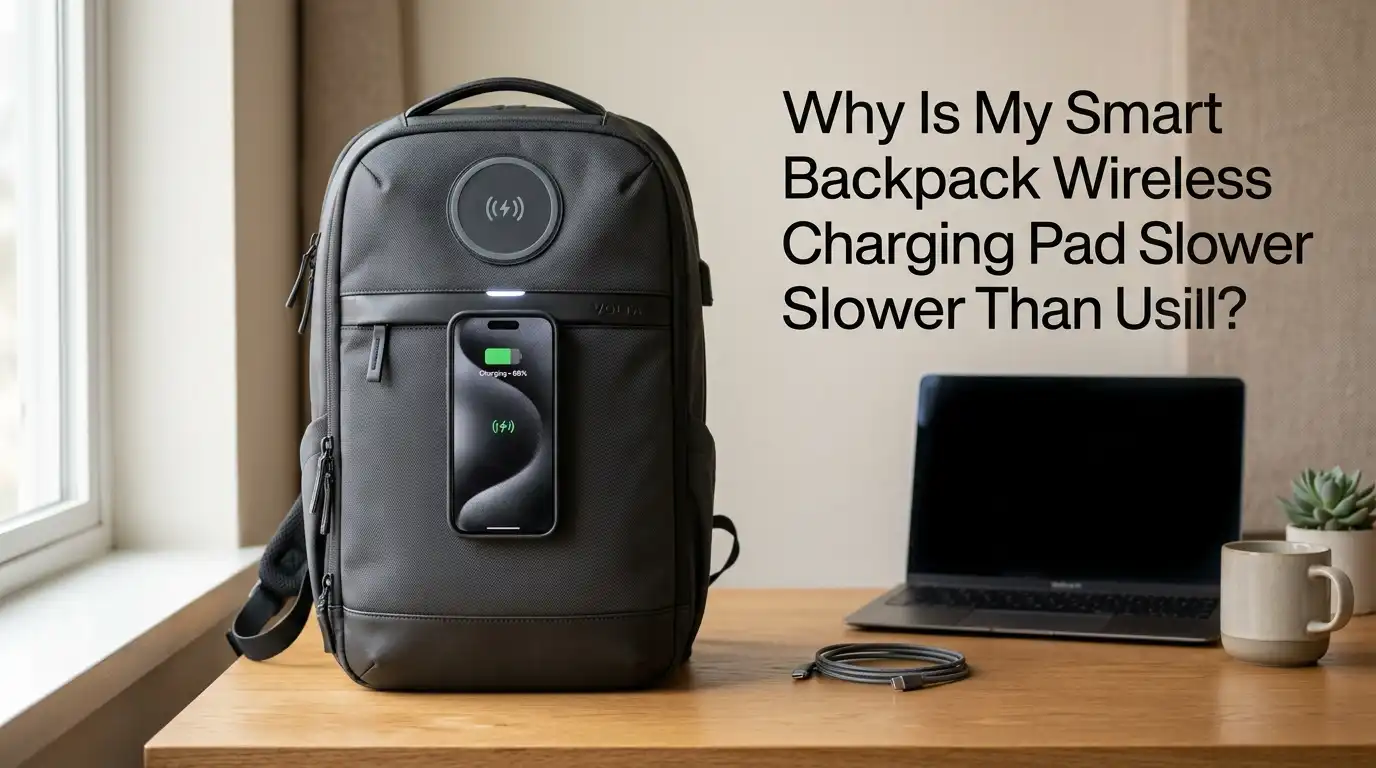
Why Is My Smart Backpack Wireless Charging Pad Slower Than Usual?
Your smart backpack felt like a tech upgrade the day you bought it. You drop your phone on the built in charging pad, walk to work, and arrive with a full battery.
But lately, something feels off. The pad takes forever. Your phone barely gains 10 percent during your commute. You start wondering if the backpack is broken or if your phone is the problem.
Slow wireless charging inside a backpack is more common than you think. The good news is that most causes are fixable at home. You do not need to throw the bag away or buy a new phone.
In a Nutshell
- Coil misalignment is the number one reason wireless charging slows down inside a backpack. Your phone shifts as you walk, and even a small gap between the coils cuts power transfer.
- Heat is the silent killer of charging speed. When your phone or the pad gets too warm, the system throttles power on purpose to protect the battery inside.
- The internal power bank matters more than the pad itself. A weak, old, or low charge power bank inside your backpack cannot push fast wattage to the pad, no matter how good the pad is.
- Cases, cards, and metal objects block the signal. Thick wallets, MagSafe rings, or coins sitting between the phone and pad reduce charging speed by half or more.
- Cable and port damage inside the backpack hides the real issue. A frayed USB C cable connecting the power bank to the pad creates resistance and slows everything down.
- Software settings on your phone such as adaptive charging, low power mode, or background apps quietly reduce how much energy your phone accepts from the pad.
Understand How Smart Backpack Charging Pads Work
Your smart backpack has three main parts that work together. There is a power bank hidden in a pocket, a USB cable running through the fabric, and a wireless charging pad sewn into the strap or front panel. The pad uses Qi technology, which sends energy through two copper coils.
The coil in the pad sends a magnetic field. The coil in your phone catches it and turns it back into electricity. This process is naturally less efficient than a wired charger. You lose about 20 to 30 percent of the energy as heat during transfer.
Most backpack pads output 5W to 10W. That is slower than a wall charger from day one. If yours feels even slower than that, something in the chain has changed.
Check the Power Bank Battery Level First
This is the easiest fix and the one most people skip. Your backpack pad cannot deliver full power if the internal power bank is running low. Most power banks drop their output wattage when the battery falls below 30 percent.
Pull the power bank out and check the LED indicator. If it shows one or two lights, plug it into a wall charger overnight. Then test the pad again with a full battery inside.
Pros of checking the power bank first: Takes 30 seconds. No tools needed. Solves the issue around 40 percent of the time.
Cons: If your power bank is old, even a full charge may not push proper wattage anymore. Lithium ion cells lose capacity after 300 to 500 charge cycles. You may need to replace the battery pack itself.
Fix Coil Misalignment Between Phone and Pad
The charging coil in your phone is small. The coil in the backpack pad is also small. If they are even half an inch off center, the magnetic field weakens and charging slows by 50 percent or more.
Inside a moving backpack, your phone slides around constantly. Every bump shifts the alignment. Try placing your phone flat with the camera bump facing away from the pad. Center it carefully and feel for the small click or vibration that confirms a connection.
Pros of fixing alignment: Free, instant, and often doubles your charging speed.
Cons: Alignment keeps drifting as you walk. You may need a magnetic case or a small strip of hook and loop tape to hold the phone in place during transit.
Remove Thick Cases and Metal Objects
A phone case thicker than 3mm reduces wireless charging speed. Metal plates, ring holders, magnetic mounts, and credit cards between the phone and pad block the signal almost completely. Even a single coin in your wallet case can cut power transfer in half.
Take your phone out of its case and place it directly on the pad. If charging speeds up right away, the case is your problem. Switch to a thinner case made from silicone, leather, or soft plastic.
Pros of removing barriers: Immediate speed boost. Easy to test. Helps your phone stay cooler too.
Cons: A naked phone is more fragile inside a backpack. You may need to buy a wireless friendly case, which adds cost. Some MagSafe cases work well but cost more than basic ones.
Watch Out for Overheating Inside the Backpack
Heat is the biggest hidden enemy of wireless charging. Backpacks trap warm air. When the pad and phone heat up past 95°F or 35°C, both devices reduce charging speed on purpose to protect the lithium battery from damage.
Open the backpack flap while charging if possible. Avoid charging during summer walks in direct sunlight. Do not stack heavy items like laptops on top of the charging pocket, since they trap heat against the phone.
Pros of managing heat: Protects long term battery health. Restores normal charging speed quickly.
Cons: Hard to control on hot days or during exercise. You may need to stop charging entirely when the backpack feels warm to the touch.
Inspect the Internal USB Cable
The cable connecting the power bank to the pad runs through the fabric of the backpack. It bends every time you sling the bag over your shoulder. Over months of use, the copper wires inside fray. A damaged cable adds resistance and slows the power flow to the pad.
Open the backpack and trace the cable. Look for kinks, exposed wires, or loose connectors. Wiggle it gently while the pad is active. If charging speed jumps around, the cable is faulty.
Pros of replacing the cable: Cheap fix, usually under 10 dollars. Restores full wattage instantly.
Cons: Some backpacks use sewn in cables that you cannot replace without breaking stitches. You may need to send the bag for repair or use an external cable routed through a side pocket.
Clean the Charging Pad Surface
Dust, lint, and skin oils build up on the pad surface over time. A thin film of grime acts as a thermal barrier, trapping heat between the coils and reducing efficiency. Studies show dirty pads can charge up to 50 percent slower than clean ones.
Wipe the pad with a soft microfiber cloth and a tiny drop of isopropyl alcohol. Avoid soaking the fabric. Let it dry fully for 10 minutes before placing your phone back on it.
Pros of cleaning: Free, fast, and good for the pad’s long term health. Reduces overheating too.
Cons: You have to repeat it every few weeks if you carry the bag in dusty places. Harsh cleaners can damage the fabric or the pad coating, so stick to gentle solutions.
Adjust Your Phone Settings
Your phone may be slowing the charge on purpose. Adaptive charging, optimized battery charging, and low power mode all reduce the wattage your phone accepts. These features protect your battery but make charging feel slow.
Open your phone settings and search for battery options. Turn off adaptive charging if you need full speed. Close background apps like GPS, video streaming, and games, since they drain power faster than the pad can supply it.
Pros of changing settings: No hardware needed. Takes two minutes. Works for both iPhone and Android.
Cons: Turning off battery protection features may shorten battery lifespan over time. Use this fix only when you need a quick top up, not as a daily habit.
Check the Power Bank Output Wattage
Not every power bank is the same. Some only push 5W through their USB ports. A backpack pad rated for 10W cannot reach that speed if the power bank only sends 5W in. The weakest link sets the speed for the whole chain.
Look at the label on your power bank. You want at least 10W output, ideally 18W or more with USB PD support. Replace older power banks that only support 2.1A at 5V, since these are too weak for modern wireless charging.
Pros of upgrading the power bank: Future proofs your setup. Charges faster for years.
Cons: A good 20000mAh power bank with PD costs 40 to 60 dollars. Heavier power banks also add weight to your backpack.
Reset the Power Bank
Power banks have small chips inside that manage power flow. These chips sometimes glitch after a deep discharge or a power surge. A reset clears the memory and restores normal output.
Most power banks reset by holding the power button for 10 to 15 seconds. Some need you to plug them into a wall charger while pressing the button. Check your model’s manual for the exact steps.
Pros of resetting: Free, takes one minute, often fixes weird charging behavior.
Cons: Not all power banks have a reset function. Frequent resets may signal a deeper hardware problem that needs replacement instead.
Test With a Different Phone
Sometimes the problem is not the backpack at all. Your phone’s wireless charging coil can degrade after two or three years of heavy use. Drops, water exposure, and battery swelling all damage the receiver.
Borrow a friend’s phone that supports Qi charging. Place it on the pad and check the speed. If the other phone charges fast, your phone is the issue. If it charges slow too, the pad or power bank is the culprit.
Pros of testing with another device: Quickly narrows down where the problem lives.
Cons: You need access to a second Qi enabled phone. Older phones may not support the same wattage, so results can be misleading.
Update Your Phone Firmware
Phone makers push battery and charging updates often. An outdated operating system can mismatch with newer charging standards. This causes slow speeds or random charging stops.
Go to settings and check for system updates. Install any pending ones. Restart your phone after the update to clear cached charging profiles. Then test the pad again with a clean alignment.
Pros of updating: Free, fixes hidden bugs, and improves battery health overall.
Cons: Some updates accidentally introduce new charging issues. Read user reports before installing major version updates if your charging works well now.
Know When to Replace the Pad
If you have tried everything above and the pad still charges slow, the coil inside may be damaged. Bent coils, broken solder joints, and burned out chips cannot be fixed without specialized tools. Backpack pads also wear out after 2 to 3 years of daily use.
Contact the backpack maker and ask about warranty service. Some brands replace the pad module for free within the first year. Keep your receipt and order number ready when you reach out.
Pros of replacement: Fresh hardware works at full speed again.
Cons: Out of warranty repairs cost almost as much as a new backpack. You may lose the bag for a few weeks during shipping and repair.
FAQs
How fast should a smart backpack wireless charging pad charge my phone?
Most backpack pads deliver 5W to 10W. Expect to gain about 8 to 15 percent battery per hour. That is slower than a wall charger but fine for a top up during your commute. Anything below 5 percent per hour signals a problem worth investigating.
Can I leave my phone on the backpack pad all day?
Yes, but watch the heat. Leaving your phone on a warm pad for hours can stress the battery. Take the phone off once it hits 80 to 90 percent. This keeps the lithium cells healthy and saves your power bank’s charge for later use.
Why does my backpack pad work fine at home but slow down outside?
Movement causes coil misalignment. Walking, running, or cycling shifts your phone away from the sweet spot. Use a strap or pocket flap to hold the phone steady during transit. A magnetic case also helps lock the phone in place.
Does cold weather affect my backpack charging pad?
Yes. Lithium batteries inside power banks slow down below 40°F or 5°C. The chemistry simply works slower in the cold. Keep your backpack closer to your body in winter to share some warmth. Charging speed will return to normal once the bag warms up.
Can rain or moisture damage the charging pad?
Most smart backpacks are water resistant, not waterproof. Moisture seeping into the pad area causes corrosion on the coil and connectors. Dry the bag fully before charging if it gets wet. Never charge with a damp phone or pad surface.
Is it safe to use my own power bank instead of the one that came with the backpack?
Yes, as long as the wattage matches. Use a power bank with at least 10W output and a USB C or USB A port that fits the backpack cable. Avoid cheap unbranded power banks, since they may damage the pad with unstable voltage.

Hi, I’m Rue Hessel, the founder and voice behind TheGenTool. I’m a passionate tech enthusiast who loves exploring the latest gadgets, smart devices, and electronics that shape our everyday lives. Through my website, I share honest, hands-on reviews of trending Amazon products to help you make smarter and more confident buying decisions.