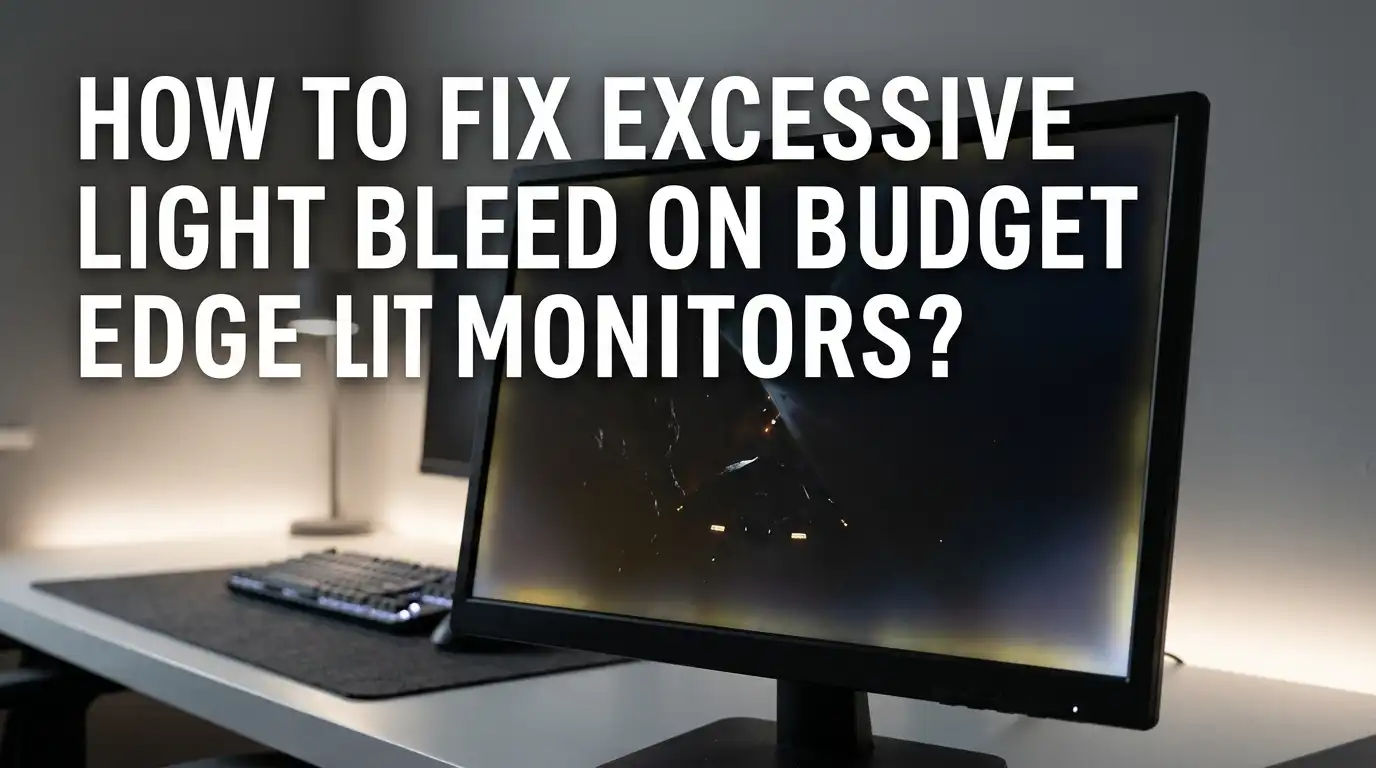
How To Fix Excessive Light Bleed On Budget Edge Lit Gaming Monitors?
Bright corners ruining your dark scenes? You are not alone. Budget edge lit gaming monitors often show glowing patches near the edges during night levels or movie watching. This problem is called light bleed, and it can pull you out of immersive gameplay fast.
The good news is you can reduce or even fix this issue without spending money on a new panel. Many gamers have tried simple tweaks at home and seen real results. This guide walks you through every working method, from soft cloth massage tricks to monitor setting changes.
You will also learn what causes the bleed in the first place, so you can stop it from coming back. Stick around to find out which fix matches your monitor and your skill level.
In a Nutshell
- Light bleed happens when the backlight escapes through gaps between the panel and the frame. It is more common on edge lit monitors because the LEDs sit on the sides.
- Soft pressure tricks work best for corner bleed. Using a microfiber cloth and gentle thumb pressure can shift the panel back into place.
- Lowering brightness and using bias lighting can hide light bleed quickly without opening your monitor. These are safe options for beginners.
- Loosening the back screws of your monitor is a deeper fix. It releases tension on the panel, but it may void your warranty.
- Some bleed is normal on cheap IPS and VA panels. You can lower it, but you cannot remove every bit of it.
- Return or exchange the unit if the bleed is severe and your monitor is still under warranty. Many brands accept this as a defect.
What Is Light Bleed And Why Does It Happen?
Light bleed is the leak of backlight from behind the LCD panel. It shows up as bright spots or patches near the edges and corners when the screen displays dark content. On edge lit monitors, LEDs sit along the sides of the panel. Their light spreads through a guide plate across the whole screen.
When the panel is not pressed evenly against this guide, light escapes where it should not. Cheap monitors often have loose frames, weak glue, or uneven pressure points that make this worse. Heat, shipping damage, and poor factory assembly also play a role. Knowing the cause helps you choose the right fix for your specific monitor model.
How To Tell Light Bleed From IPS Glow
Many people confuse light bleed with IPS glow, but they are different. Light bleed shows up as fixed bright patches near the edges, no matter your viewing angle. It looks like a flashlight is shining from behind the bezel.
IPS glow looks like a soft silver or yellow haze in the corners, and it changes when you move your head. If the bright spot disappears when you sit straight in front of the screen, it is IPS glow, not bleed. If it stays in place from every angle, it is true light bleed. This step matters because IPS glow cannot be fixed by pressing the panel. You need different methods for each one.
Pros: This test is free and takes ten seconds.
Cons: Some monitors have both issues at the same time, which can confuse the result.
Lower Your Monitor Brightness
The simplest fix is to drop your brightness setting. Edge lit panels push light through the screen at full power when brightness is high. The higher the level, the more light escapes from weak spots.
Open your monitor menu and set brightness between 30 and 50 percent for dark room use. You can also reduce contrast slightly to soften the glow. Many gamers run their monitors at 80 or 100 percent without thinking, which makes bleed look much worse than it really is. Lower brightness also protects your eyes during long sessions.
Pros: No tools needed, takes one minute, and saves power.
Cons: Colors look less vivid in bright rooms, and HDR content may seem dim.
Use Bias Lighting Behind Your Monitor
Bias lighting is a soft light placed behind your monitor that faces the wall. It raises the ambient light in your room, which makes your eyes less sensitive to small bright spots on the screen. Light bleed becomes much harder to see when the room is not pitch black.
You can use a cheap USB LED strip stuck to the back of your monitor, or any small lamp behind your desk. Aim for a warm white or 6500K daylight tone for the best match. Bias lighting also reduces eye strain and improves perceived contrast. This is one of the easiest tricks that works on every monitor brand.
Pros: Cheap, helps your eyes, and works on any panel type.
Cons: Does not actually fix the bleed, only hides it.
The Microfiber Cloth Massage Method
This is the most popular DIY fix for corner bleed. You gently press the bright spot on the screen to shift the panel back into position. The trick is to use a soft cloth so you do not scratch the surface.
Turn on your monitor and display a black image so you can see the bleed clearly. Wrap a microfiber cloth around your thumb. Press the bright corner with light pressure for about thirty seconds. Move your thumb in small circles. Never press hard, and never use a sharp tool, as this can crack the panel or create dead pixels. Repeat once or twice if needed, then check the result.
Pros: Free, no tools needed, and often gives quick results.
Cons: May only work on minor bleed, and overdoing it can damage the LCD.
Loosen The Monitor Back Screws
Tight screws on the back of cheap monitors often press the frame too hard against the panel. This bends the panel slightly and pushes light out at the corners. Loosening these screws can release the pressure and reduce bleed.
Unplug your monitor and lay it face down on a soft cloth. Find the screws on the back panel, usually four to eight of them. Turn each screw counterclockwise by a quarter turn, not more. Power the monitor back on and check the screen. If the bleed is reduced, leave the screws there. If not, try another quarter turn. Stop if the frame starts to feel loose.
Pros: Often gives strong results on cheap monitors.
Cons: Can void your warranty, and over loosening makes the frame rattle.
Apply Electrical Tape Around The Inner Bezel
This method blocks light from escaping at the edge between the bezel and the panel. It does not fix the bleed itself, but it stops the light from reaching your eyes. You need to open the monitor frame for this, so only try it if you are comfortable with small repairs.
Remove the back cover and locate the metal housing around the panel edge. Cut thin strips of black electrical tape. Stick them along the inside of the frame where light leaks out. Be very careful near the panel ribbon cables, as they are fragile. Reassemble the monitor and test the screen.
Pros: Long lasting fix that targets the actual leak path.
Cons: Voids warranty, takes time, and requires basic repair skills.
Adjust Your Viewing Angle And Distance
Light bleed often looks worse from certain angles. Sitting too close or too low makes corner bleed jump out. A small shift in your seating position can lower how much you notice it.
Try raising your chair so your eyes meet the top third of the screen. Move back by six to twelve inches if possible. Tilt the monitor slightly so it faces you head on. This works best when combined with brightness reduction. It will not change the actual amount of bleed, but your brain will register it less. This trick is perfect for office workers who cannot modify their hardware.
Pros: Free, instant, and safe for any monitor.
Cons: Only hides the problem from your view, does not fix it.
Let The Monitor Settle In Over Time
Brand new monitors sometimes show more bleed during the first few weeks. The glue and frame parts are still settling. Heat from regular use can also help the materials relax into place.
Use your monitor normally for two to four weeks before judging the bleed. Run it for a few hours each day at medium brightness. Many users report that minor bleed fades on its own during this break in period. Do not run it at maximum brightness for long stretches, as too much heat can warp the panel. Patience is free, and sometimes it is the only fix you need.
Pros: Costs nothing, no risk to hardware.
Cons: Slow, and does not work for severe bleed cases.
Check For Loose Internal Frames
Some monitors arrive with internal frame parts that have shifted during shipping. You may hear a soft rattle when you tilt the monitor. This loose part can press on the panel and cause bleed.
Hold your monitor and tilt it gently left and right while listening. If you hear movement inside, the internal frame may be loose. You can open the back to check, or send it back as a defect. A properly built monitor should make no rattle at all. Tightening loose internal screws or repositioning a slipped frame can fix the bleed in one step.
Pros: Targets a real mechanical cause of bleed.
Cons: Requires opening the monitor, and not every user feels safe doing this.
Use A Dark Room Test To Track Progress
You cannot fix what you cannot measure. Before and after each method, run a black screen test to see how much bleed is left. This way you know which fix actually worked.
Open a full black image or a black YouTube video on full screen. Turn off room lights and let your eyes adjust for one minute. Take a photo with your phone at the same settings each time. Compare the photos side by side to spot real changes. This habit keeps you from overdoing fixes that are not helping. It also helps you decide when to stop and accept the current result.
Pros: Gives clear feedback, costs nothing.
Cons: Phone cameras can exaggerate bleed compared to your eyes.
When To Return Or Replace Your Monitor
Sometimes the bleed is too severe to fix at home. If bright patches cover more than ten percent of the screen, or if they appear at normal brightness in a lit room, the panel is defective. No DIY trick will save it.
Check your warranty terms within the first thirty days for a free return or exchange. Most brands like Dell, LG, and Samsung accept light bleed as a valid defect if it is excessive. Take clear photos in a dark room as proof. Do not open the monitor before returning it, as this voids your claim. A replacement unit often has less bleed straight from the factory.
Pros: Best long term result, no risk to your hardware.
Cons: Takes time, and some budget brands have strict return policies.
Prevent Light Bleed In Your Next Monitor
Once you fix your current screen, you can avoid the same problem on your next one. Light bleed is more common on certain panel types and price ranges. A bit of research before buying saves a lot of headache later.
Look for VA panels if you want deep blacks with less bleed, or pay a bit more for a full array backlight. Read user reviews that mention dark room tests. Avoid monitors with very thin bezels on the cheapest tier, as they often pinch the panel. Buy from sellers with good return policies. This way, you can swap a bad unit without losing money.
Pros: Saves future stress, gets you a better panel.
Cons: Higher upfront cost, and even premium monitors can have some bleed.
Frequently Asked Questions
Is light bleed covered under warranty?
Most major brands cover excessive light bleed as a manufacturing defect, but minor bleed is considered normal. Check your brand policy and submit clear photos taken in a dark room. Acting within the return window gives you the best chance of a free fix.
Will pressing my monitor screen damage it?
Light pressure with a soft cloth is safe, but hard pressing can crack the LCD layers or create dead pixels. Always use a microfiber cloth, keep pressure gentle, and stop if you see any color changes or ripples on the screen.
Does light bleed get worse over time?
In most cases, light bleed stays the same or even improves slightly as the monitor settles in. It can get worse if the monitor is exposed to high heat, drops, or rough shipping. Keeping your monitor at moderate brightness helps it last longer.
Can I fix light bleed on a curved monitor?
Yes, but be extra careful. Curved panels are more sensitive to pressure because of their shape. Use very light cloth massage only, and avoid loosening screws unless you know the exact build. Returning the unit is often a safer choice for curved screens.
Are edge lit monitors always worse than direct lit ones?
Edge lit monitors are thinner and cheaper, but they often show more bleed than direct lit models. Direct lit panels spread light evenly from behind, which reduces corner leaks. If bleed bothers you a lot, direct lit or full array monitors are worth the extra cost.

Hi, I’m Rue Hessel, the founder and voice behind TheGenTool. I’m a passionate tech enthusiast who loves exploring the latest gadgets, smart devices, and electronics that shape our everyday lives. Through my website, I share honest, hands-on reviews of trending Amazon products to help you make smarter and more confident buying decisions.