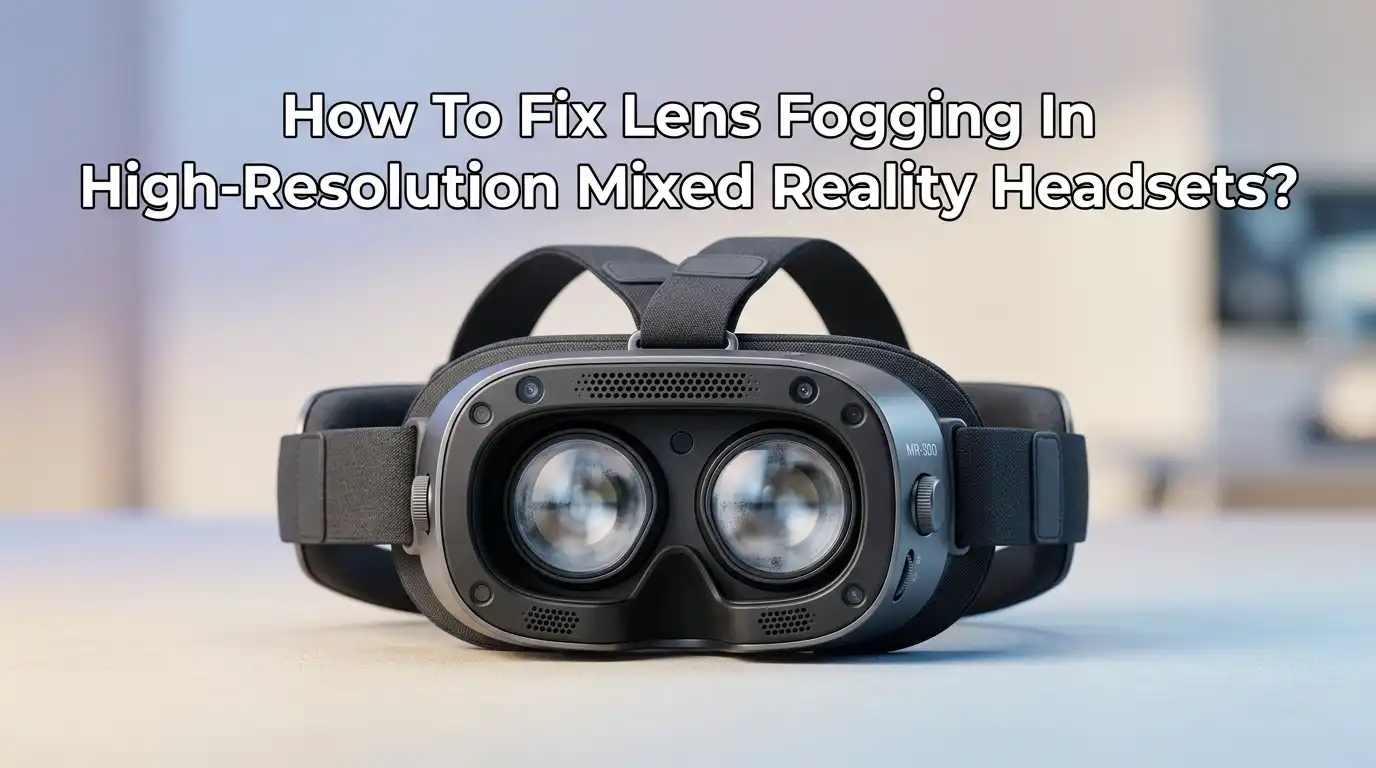
How To Fix Lens Fogging In High-Resolution Mixed Reality Headsets?
You slide the headset over your eyes, ready to jump into a stunning virtual world. The display powers on. The visuals look incredible. But within seconds, a milky white haze creeps across your view. Everything turns blurry. The immersion shatters.
Lens fogging is one of the most common frustrations for mixed reality headset users. It does not matter if you own a Meta Quest, an Apple Vision Pro, a Pimax, or a high end PCVR headset.
The problem is universal. The good news is that you can fix it. You do not need expensive gear or technical skills. You just need to understand the science behind the fog and apply the right solutions.
Key Takeaways
- Lens fogging is pure physics. It happens when warm, moist air from your face hits cooler lens surfaces and condenses into tiny water droplets. This temperature gap is the root cause.
- Pre-warming your headset is the simplest free fix. Let your device run for five to ten minutes before wearing it. The internal heat narrows the temperature difference and stops condensation before it starts.
- Anti-fog products work but demand caution. Sprays and wipes designed for optical lenses can create a protective film. However, many manufacturers warn against using liquids directly on lenses. Always apply the product to a microfiber cloth first and never spray it straight onto the lens.
- A ventilated facial interface is a game changer. Swapping the stock foam cushion for a silicone or pleather interface with built-in air channels dramatically improves airflow and reduces trapped humidity.
- A small USB fan or a dedicated headset cooling fan attachment can eliminate fog entirely. Active airflow pulls moisture away from the lens area and replaces it with drier room air. This is one of the most reliable long-term solutions.
- Simple habits make a big difference. Wipe your face dry before playing, wear a sweatband, take short breaks, and store your headset in a dry place. These small acts prevent moisture from ever entering the sealed chamber.
Understand Why Your Headset Lenses Fog Up
Fogging is not a defect. It is condensation. Your face naturally releases heat and moisture. When you strap a headset onto your face, you create a small sealed chamber. The warm humid air from your skin rises and meets the cooler surface of the lenses.
The air cools down instantly. Cold air cannot hold as much water vapor as warm air. The excess moisture has to go somewhere. It settles on the lenses as thousands of microscopic water droplets. These droplets scatter light in every direction. That is the fog you see.
Several factors make the problem worse. Intense physical games raise your body heat and sweat output. A warm and humid room floods the headset with moisture even before you start. A headset that sits too tight against your face traps every bit of exhaled breath.
The bigger the temperature gap between your face and the lenses, the faster and thicker the fog forms. Understanding these triggers helps you choose the right fix. You can attack the problem at its source instead of just wiping the lenses over and over.
Pre-Warm Your Headset Before Every Session
The easiest and most effective trick costs nothing. Turn on your headset and let it sit idle for five to ten minutes before you put it on. The internal processor and display generate gentle warmth.
This heat slowly raises the temperature of the lenses and the interior air. When you finally wear the headset, the lenses are already close to your skin temperature. The condensation trigger simply does not fire.
You can place the headset on a table with the lenses facing upward. Some users rest it on a stand near a gentle heat source like a gaming console exhaust vent. Never use a hairdryer or any direct heating tool.
The intense heat can warp plastic components, damage the lens coating, or ruin the display panel underneath. Gentle ambient warmth is all you need.
Many users report that this single habit eliminates ninety percent of their fogging issues. It works the same way as warming up your car windshield on a cold morning.
Pros: Completely free. No extra products needed. Works on every headset brand. Cons: Requires planning ahead. Less effective if you forget to do it. Not ideal for quick pick-up-and-play sessions.
Adjust Your Headset Fit For Better Airflow
Many people overtighten the side straps. They think a tighter seal means a more secure fit. In reality, cranking the straps down creates a sweat chamber. Your skin cannot breathe.
The moisture has nowhere to escape. The fix is simple. Loosen the headset just a little. The device should feel snug but never pressed hard against your cheeks and forehead. You should be able to slide one finger between the facial interface and your skin.
Pay attention to how the headset rests on your nose. If it sits too low, your nostrils blow warm breath directly into the lens cavity. Adjust the top strap so more weight rests on your forehead. This lifts the bottom edge slightly and creates a natural ventilation gap.
Some headsets have a built-in glasses spacer. Use it even if you do not wear glasses. The spacer pushes the lenses a few millimeters further from your face. That extra air gap works wonders for condensation control.
Pros: Instant improvement. No cost. Increases overall comfort. Cons: May let in a small amount of external light. Takes trial and error to find the sweet spot.
Upgrade To A Ventilated Facial Interface
The stock foam facial interface that ships with most headsets is a fog-making machine. The foam absorbs sweat like a sponge.
It holds moisture against your face and releases it back into the lens chamber. After a few weeks of use, the foam becomes a damp breeding ground for humidity. Swapping it out for an aftermarket interface is one of the smartest upgrades you can make.
Look for interfaces made from silicone or pleather. These materials do not absorb sweat at all. You can wipe them clean with a dry cloth in seconds. Many third-party options now feature built-in ventilation channels. Some designs have small Z-shaped air holes along the top and sides.
These passive vents allow warm air to escape and cooler room air to enter naturally. Brands like AMVR and similar manufacturers now produce interfaces with full 360-degree airflow designs. The difference is immediately noticeable. You feel less heat buildup on your face, and the lenses stay clear for much longer sessions.
Pros: Dramatic reduction in trapped moisture. Easy to clean. More hygienic than foam. Cons: Adds a small cost. Some ventilated interfaces may let in a sliver of outside light.
Use Anti-Fog Sprays And Wipes The Safe Way
Anti-fog products create a thin hydrophilic layer on the lens surface. This coating stops water droplets from forming beads. Instead, the moisture spreads out into an even transparent film that does not distort your view. These products work well when applied correctly.
The safety rule is critical. Never spray any liquid directly onto your headset lenses. The liquid can seep into the edges of the lens housing and damage internal electronics or the adhesive holding the lens in place.
Always apply the anti-fog solution to a clean microfiber cloth first. Then gently wipe the lens in a circular motion. Let the film dry for a few seconds. Buff it lightly with a dry section of the cloth. One application can last through several play sessions.
Some manufacturers like Meta explicitly warn against using any chemical solutions on their lenses. If you have a Quest headset, check the official guidance before applying anything.
For other brands, choose products labeled safe for coated optical lenses. Avoid alcohol-based sprays. They can strip away protective coatings over time.
Pros: Effective chemical barrier against fog. Quick application. Lasts multiple sessions. Cons: Risk of lens damage if applied incorrectly. Not recommended by all manufacturers. Requires reapplication every few days.
Install A Dedicated Cooling Fan Attachment
Active airflow is a powerful weapon against fog. Small USB-powered fan attachments now exist for many popular headset models. These tiny fans clip onto the top or front of the facial interface.
They pull humid air out of the enclosed space and push cooler room air inside. The constant circulation prevents moisture from ever settling on the lenses.
Installation is usually tool-free. Most fan units snap into place magnetically or with a simple clip mechanism. They draw power from the USB-C port of the headset or a small external battery. The fan runs quietly in the background. You will not hear it over game audio.
Users who suffer from heavy fogging during fitness games or long VR chat sessions report nearly complete relief with a fan attachment. The only trade-off is the added weight and the slight hum. For many people, that is a small price to pay for fog-free clarity.
Pros: Near total fog elimination. Set and forget. Great for workout sessions. Cons: Adds weight to the headset. Slight noise. Consumes a small amount of battery power.
Point A Room Fan At Your Play Space
If you do not want to attach anything to your headset, use a regular room fan. A standing fan or a desk fan pointed at your play area works surprisingly well.
The moving air flows around the edges of the facial interface. It carries moisture away from your face and helps evaporate sweat before it enters the lens chamber.
Position the fan about three to four feet away from where you stand. Angle it slightly upward so the breeze hits your chest and the bottom edge of the headset. You do not need hurricane force winds. A gentle steady airflow is enough to disrupt the microclimate inside the headset.
This method pairs well with a ventilated facial interface. The fan pushes fresh air through the passive vents and flushes out the humid air. It also keeps your body cooler, which reduces the amount you sweat in the first place.
Pros: No modification needed. Keeps your whole body cool. Inexpensive. Cons: Only works if you stay in the fan’s path. Can dry out your eyes during long sessions.
Wear A Sweatband Or Headband
A lot of lens fog comes from forehead sweat. As you move and exert yourself, sweat beads form on your brow. The warmth of the headset turns that sweat into vapor. That vapor rises directly into the lens area. A simple cotton or microfiber sweatband creates a physical barrier. It absorbs the moisture before it can evaporate into the enclosed space.
Choose a thin athletic headband that fits comfortably under the headset strap. Wider bands cover more surface area and catch more sweat. Some users prefer a bandana tied loosely around the forehead. The fabric should be breathable so it does not make you feel hotter.
Change the sweatband if it becomes soaked during a long session. Keep a spare nearby. This trick is especially useful for fitness apps like Supernatural, Beat Saber, or any game that gets your heart rate up.
Pros: Extremely cheap. No risk to the headset. Works instantly. Cons: Needs washing between sessions. Can feel warm under the strap. Does not help with breath-related fog.
Take Short Breaks During Long Sessions
Your body builds heat and moisture over time. A ninety-minute session produces far more humidity than a fifteen-minute quick play.
The simple habit of taking a short break every twenty to thirty minutes can reset the climate inside your headset. Lift the headset off your face. Wipe your forehead and cheeks with a dry towel. Let the interior air out for about sixty seconds.
Use this pause to wipe the lenses with a clean microfiber cloth if any haze has started to form. Check the facial interface for moisture buildup. If it feels damp, pat it dry. These micro-breaks also reduce eye strain and give your neck a rest.
You return to the game with a fresh face, a dry headset, and clear lenses. The break does not need to be long. Just one minute can make a noticeable difference for the rest of your session.
Pros: Good for your eyes and body. Resets the humidity level. Requires zero equipment. Cons: Interrupts immersion. Not ideal during competitive multiplayer matches.
Store Your Headset In A Dry Environment
Where you keep your headset matters more than you think. Storing it in a damp basement, a cold closet, or a humid room sets you up for fog before you even power on. Moist air seeps into the foam facial interface and lingers there. When you put the headset on, that stored moisture releases immediately.
Store your headset in a cool dry place. A dedicated hard case with a few silica gel packets inside works perfectly. The silica gel absorbs ambient moisture and keeps the interior bone-dry. Replace the packets every few months as they become saturated.
Never store the headset in direct sunlight or near a radiator. Extreme heat can damage the lenses and the internal battery. If your play space is naturally humid, consider running a small dehumidifier in the room. The drier the air, the less fog you will face.
Pros: Prolongs headset lifespan. Prevents moisture damage. Low effort once set up. Cons: Requires buying silica gel packs or a case. Dehumidifiers add electricity cost.
Clean Your Lenses The Right Way
Dirty lenses fog faster. Oils from your skin, dust particles, and residue from previous cleaning attempts create tiny nucleation points on the glass surface. Water vapor clings to these spots and accelerates condensation. Regular cleaning with the right tools keeps the lens surface smooth and resistant to fog.
Use only a dry microfiber cloth. The cloth that came with your headset or with a pair of eyeglasses works best. Wipe in gentle circular motions starting from the center and moving outward. Never use paper towels, tissue, or the edge of your shirt.
These materials contain wood fibers that leave micro-scratches. Never use water, alcohol, window cleaner, or any household liquid. The chemicals can strip the anti-glare coating off the lenses.
If a dry cloth cannot remove a stubborn smudge, use a lens cleaning solution specifically made for coated optics. Apply it to the cloth, not the lens. Clean lenses after every session to prevent buildup.
Pros: Maintains optical clarity. Extends lens life. Reduces fogging triggers. Cons: Requires discipline. Using the wrong cloth can cause permanent scratches.
Manage Your Body Temperature Before Playing
Jumping straight into VR after a run, a workout, or a hot shower guarantees instant fog. Your face is already flushed, sweaty, and radiating heat. Putting a headset over that is like sealing a sauna.
Give your body five to ten minutes to cool down first. Sit in front of a fan. Drink a glass of cold water. Let your skin temperature return to normal.
Cold water helps regulate your core temperature from the inside. If your body runs cooler, you produce less facial sweat. This is why some users keep an insulated water bottle near their play space. Sip cool water during breaks. Avoid hot drinks or spicy food right before a VR session.
Both raise your internal temperature and increase perspiration. Small lifestyle tweaks like these stack up. Combined with the other methods in this guide, they bring you closer to a permanently fog-free experience.
Pros: Simple habit change. Costs nothing. Benefits your overall comfort. Cons: Requires patience. Not always practical after an intense real-world workout you want to continue in VR.
Try Anti-Fog Lens Inserts For A Long-Term Solution
Some companies now sell prescription and non-prescription lens inserts with a built-in anti-fog coating. These snap directly over the existing headset lenses. The anti-fog layer is factory-applied and lasts for months before needing reactivation.
Zenni Optical, for example, offers anti-fog VR lenses that come with an activator cloth. You wipe the inserts five to ten times in a circular motion to activate the coating. The effect can last up to six months.
These inserts serve a dual purpose. They protect the original lenses from scratches and dust. And they provide a consistent anti-fog barrier without you having to spray or wipe anything each session. The inserts are easy to remove for cleaning.
Wash them gently with mild soap and water when needed. Dry them with a microfiber cloth and reactivate the coating with the included cloth. This solution costs more upfront but removes the daily hassle of fog management.
Pros: Long-lasting fog protection. Protects original lenses. Easy to maintain. Cons: Higher upfront cost. Adds a slight layer between your eye and the display. Not available for every headset model.
Create A Layered Anti-Fog Strategy
No single method works perfectly for everyone. Your body chemistry, your room environment, and your headset model all play a role. The best approach combines multiple techniques into a layered defense. Start with the free basics.
Pre-warm your headset, adjust the fit, and point a room fan at your play space. Add a ventilated facial interface if you need more airflow. Introduce a sweatband for workout-heavy games. Try anti-fog wipes for stubborn cases. Install a fan attachment as the ultimate active solution.
Test each addition one at a time. Observe what makes the biggest difference in your specific setup. Keep a microfiber cloth within arm’s reach for quick mid-session wipes. Store your headset properly between sessions.
Over time, you will build a personal anti-fog routine that keeps your lenses clear without you even thinking about it. The goal is simple. You want to put on the headset and forget about fog entirely. With the right combination of tools and habits, that goal is completely achievable.
Pros: Customized to your needs. Maximizes fog prevention. Builds long-term good habits. Cons: Takes time to find your ideal combination. Some trial and error involved.
Frequently Asked Questions
Can I use dish soap or shaving cream to prevent lens fogging on my headset?
No, you should not use household products on your headset lenses. Dish soap, shaving cream, and toothpaste contain abrasives and chemicals that can strip the protective coatings off the lens surface. These tricks work for bathroom mirrors but not for precision optics. Stick to products specifically labeled safe for coated optical lenses.
Does the Apple Vision Pro have a built-in anti-fog system?
The Apple Vision Pro uses active cooling fans and carefully designed ventilation channels to manage internal humidity. However, even premium headsets can fog under extreme conditions like heavy workouts or humid rooms. The pre-warming and environment control methods in this guide still apply to high-end devices.
How often should I replace my microfiber cleaning cloth?
Replace your microfiber cloth every two to three months if you use it daily. A dirty cloth rubs oils and tiny abrasive particles back onto the lens. Wash the cloth by hand with mild soap and water every few weeks. Let it air-dry completely. Never use fabric softener as it leaves a residue that smears on lenses.
Can lens fogging permanently damage my headset?
Occasional fogging does not cause permanent damage. However, repeated exposure to high humidity over months can encourage mold growth on the foam interface and corrosion on internal components. This is another reason to dry your headset thoroughly after sweaty sessions and store it with silica gel packets.
Are prescription lens inserts more prone to fogging than the original lenses?
Prescription inserts sit closer to your eyes and can fog just as easily as the built-in lenses. However, many aftermarket inserts now come with anti-fog coatings. Look for inserts that include an anti-fog treatment option. Treat them with the same care methods described in this guide, and they will stay clear.

Hi, I’m Rue Hessel, the founder and voice behind TheGenTool. I’m a passionate tech enthusiast who loves exploring the latest gadgets, smart devices, and electronics that shape our everyday lives. Through my website, I share honest, hands-on reviews of trending Amazon products to help you make smarter and more confident buying decisions.