How To Fix Smart Thermostat Outer Dial Ring Sticking?
Your smart thermostat should feel smooth and easy to use. But sometimes that outer dial ring gets stuck. It won’t turn, or it feels rough when you try to adjust the temperature.
This problem shows up often on Nest thermostats. The ring controls your temperature settings. Turn it clockwise for warmth, counterclockwise for cooler air. When it sticks, simple daily tasks become frustrating.
The good news? You can fix this yourself. No need to call a technician or replace your whole device. Most sticking issues come down to dust buildup, worn parts, or a mechanism that just needs some gentle attention.
In a Nutshell
- Gently pull the ring toward you while turning it. This simple motion often breaks the resistance right away.
- Rotate the ring several times, not just once. A single spin rarely fixes the issue completely.
- If the ring sticks during startup, press and hold it until the display turns off. Release, then press once to restart the thermostat.
- Remember that pressing the ring toward the wall opens menu options. This is a separate function from turning it.
- On 4th generation models, the outer ring may shift slightly up or down. This is normal and does not mean something is broken.
- Avoid forcing the ring without pulling it gently first. Force alone can make sticking worse over time.
- For stubborn cases, some users try fine grit sandpaper on the mechanism. This should only be a last resort.
Understanding How the Outer Dial Ring Works
Your smart thermostat’s outer dial ring serves a specific purpose. It controls your temperature settings with simple movements. Turning it clockwise makes your home warmer. Turning it counterclockwise makes your home cooler.
The ring has two main functions. First, rotating it adjusts your desired temperature up or down. Second, pressing it toward the wall accesses additional menu options on your display. These functions work together to give you full control over your thermostat settings.
Understanding the ring’s mechanics helps you fix sticking issues. The ring sits on a rotating mechanism inside your thermostat. This mechanism connects to sensors that read your movements. When you turn the ring, it sends signals to your thermostat’s computer. The computer then adjusts your heating or cooling system accordingly.
The outer ring also has a vertical component on certain models. On 4th generation thermostats, the ring can shift slightly up or down. This movement is completely normal. The base of your thermostat stays stationary while the ring moves. This design allows for smooth operation and easier access to controls.
The ring’s smooth operation depends on a clean, unobstructed mechanism. Dust, debris, or manufacturing residue can build up inside the ring assembly. This buildup causes resistance when you try to rotate it. Over time, this resistance gets worse if you ignore it.
Your thermostat also has a startup sequence that uses the ring. When you first power on your device, the ring may require specific actions. Knowing how the ring works during startup helps you troubleshoot problems faster. This knowledge becomes essential when your ring sticks at the beginning of the startup process.
Common Causes of a Sticking Dial Ring
A sticking dial ring usually happens for a few simple reasons. Dust and debris build up inside the mechanism over time. This buildup makes the ring harder to turn smoothly.
Manufacturing residue can also cause sticking. When your thermostat was made, small particles sometimes remain inside. These particles get trapped in the rotating parts and create friction.
Temperature changes affect the materials inside your thermostat. The plastic and metal components expand and contract with heat and cold. This movement can cause the ring to bind up slightly.
Dry mechanisms need attention too. The moving parts inside your thermostat don’t have lubrication. Without proper moisture or coating, the ring resists your turning motion.
Pressure from installation sometimes causes problems. If the thermostat wasn’t mounted perfectly straight on the wall, the ring may sit at an angle. This misalignment creates resistance when you try to rotate it.
Accidental bumps or impacts can shift internal parts. Even a gentle collision can knock components out of alignment. The ring then catches or sticks when you try to use it.
Age and regular use wear down the mechanism. After months or years of rotating the ring, internal surfaces can get rough. This roughness slows down the smooth spinning action you expect.
The startup sequence can also trigger sticking. When your thermostat powers on, the ring may stick temporarily. This happens because the system hasn’t fully initialized yet.
Most sticking issues come from one or more of these causes working together. The good news is that understanding what causes the problem helps you fix it. Simple cleaning and gentle manipulation usually restore smooth operation.
Step-by-Step Guide to Fixing a Sticking Ring
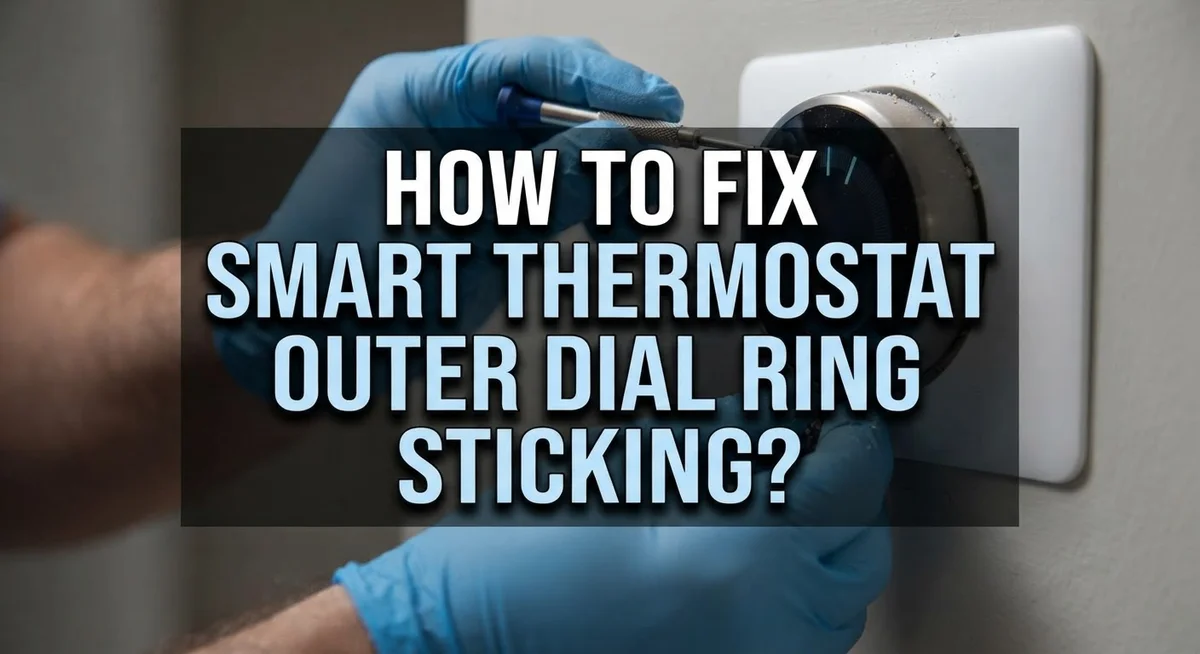
Start with the gentlest approach first. Grasp the outer ring firmly but don’t squeeze hard. Pull it straight toward you while you turn it clockwise. Keep steady pressure as you rotate. This pulling motion helps separate any stuck components inside.
Turn the ring multiple times in each direction. One or two rotations rarely work. Keep rotating clockwise for about ten full spins, then reverse and go counterclockwise ten times. You should feel the resistance decrease as you continue.
If the ring still feels stuck, try the reset method. Press and hold the ring toward the wall until your display goes completely black. This may take 10 to 15 seconds. Release your finger, then press the ring once more. The display should wake up and restart. Try rotating again after the restart completes.
For extremely stubborn rings, some people use fine grit sandpaper on the outer mechanism. This removes manufacturing residue or corrosion. Rub gently around the ring’s edges where it meets the body. Work slowly and carefully to avoid damaging the display.
After any fix attempt, rotate the ring smoothly through its full range. Test both directions several times. The movement should feel consistent and fluid.
Remember that pressing the ring toward the wall serves a different purpose than rotating it. Pressing accesses menu options, while rotating adjusts temperature. Don’t confuse these two actions during your fix.
Most sticking problems resolve within a few minutes using these steps. If your ring remains stuck after trying all methods, you may have internal damage requiring professional service.
Resetting a Ring That Sticks During Startup
When your smart thermostat’s ring gets stuck during startup, a reset procedure can help restore smooth operation. This method works especially well if the ring becomes unresponsive right after powering on your device.
Start by locating the outer ring on your thermostat. Gently press the ring toward the wall and hold it firmly in place. Keep pressing for about 10 to 15 seconds. You should see the display screen turn off or dim significantly. This indicates the reset is working.
After the display goes dark, release your pressure on the ring completely. Wait a few seconds for the device to respond. Then press the ring once more, but this time use a quick, light tap rather than a sustained hold. The display should power back on and show your normal thermostat interface.
Once the device restarts, test the ring’s movement immediately. Grasp the ring gently and pull it toward you while turning it slowly. Rotate it clockwise several times, then counterclockwise several times. This motion helps free any stuck components during the startup sequence.
If the ring still feels resistant, repeat the reset process one more time. Sometimes a second reset helps clear any lingering issues. Between reset attempts, give your thermostat 30 seconds to stabilize.
Pay attention to how the ring feels as you rotate it. Smooth operation means the reset worked. Slight resistance that improves with continued rotation is normal. If the ring remains completely stuck after two reset attempts, you may need to explore other troubleshooting methods or contact technical support for additional guidance.
Using Sandpaper for Stubborn Sticking Issues
When your thermostat’s outer dial ring refuses to budge, fine grit sandpaper can help restore smooth movement. This approach works best for stubborn cases where gentle rotation and reset methods haven’t solved the problem.
Start by removing your thermostat from the wall if possible. Check your device’s manual first, as some models require specific removal procedures. Once detached, you’ll have better access to the outer ring mechanism.
Use 140 grit sandpaper for this task. Finer grits work better than coarse options because they remove debris without damaging the ring’s surface. Gently rub the outer edge of the ring where it meets the base. Apply light pressure and use smooth, circular motions. You’re not trying to sand away material. Instead, you’re cleaning away dust, manufacturing residue, or corrosion that causes resistance.
Work around the entire circumference of the ring. Pay special attention to areas where the ring connects to the base. These spots often trap particles that create sticking points.
After sanding, wipe away all dust with a clean, dry cloth. Reattach your thermostat to the wall carefully. Rotate the ring multiple times in both directions to test the movement. The ring should spin more freely now.
If sticking persists after sanding, the problem may involve internal components. At this point, consider contacting your device’s support team for additional help.
Important note: Never use sandpaper on the display screen or any sensitive electronic areas. Focus only on the outer ring’s edge and its connection point. Always work gently and avoid aggressive scrubbing motions that could harm your device.
Tips for Smooth, Long-Lasting Ring Movement
Keeping your smart thermostat’s outer dial ring moving smoothly requires simple, regular care. Gentle handling is your first defense against sticking problems. When you rotate the ring, always use a light touch rather than forcing it with pressure.
Rotate the ring through its complete range at least once per week. This motion keeps the internal mechanism active and prevents dust from settling in tight spots. Move it clockwise to warmer temperatures, then counterclockwise to cooler settings. Each full rotation helps maintain flexibility in the mechanism.
Avoid rapid, jerky movements when adjusting temperature. Smooth, deliberate turns work better than quick twists. This approach reduces stress on the internal components that make the ring move.
Keep your thermostat away from direct sunlight and extreme temperature swings. Heat and cold can cause materials inside the device to expand and contract, which leads to friction and sticking. Mount your thermostat in a stable location away from heating vents and air conditioning outlets.
Dust accumulation is a silent killer for smooth ring movement. Gently wipe around the outer ring with a soft, dry cloth every month. Pay special attention to the gaps between the ring and the thermostat body where debris collects.
Never apply lubricants or oils to the ring mechanism. These substances attract dust and create sticky buildup over time. Water and moisture also damage the electronics inside.
Check your ring’s movement regularly, especially during seasonal changes. Small resistance early on is easier to fix than waiting until the ring completely jams. Catching problems early keeps your thermostat working smoothly for years to come.
Common Mistakes to Avoid When Troubleshooting
When troubleshooting your smart thermostat’s sticking outer dial ring, several common mistakes can make the problem worse. Understanding what NOT to do will help you fix it correctly.
The biggest mistake is applying too much force right away. Many people grip the ring tightly and twist hard, thinking brute strength will solve the issue. This approach actually damages the internal mechanism further. Instead, use a gentle, controlled motion with steady pressure.
Another frequent error is giving up after a single rotation attempt. People often turn the ring once, feel resistance, and assume it’s broken. The reality is different. You need to rotate the ring multiple times through its full range. Each rotation helps loosen the stuck parts gradually.
Don’t confuse the two different ring functions. Rotating the ring adjusts temperature settings. Pressing the ring toward the wall accesses menu options. Some users try pressing when they should be rotating, or vice versa. These are separate actions with different purposes.
Avoid skipping the gentle pulling technique. Pull the ring toward you while rotating it simultaneously. This combination motion is far more effective than rotation alone. The pulling action relieves pressure on the stuck components.
Never use sandpaper on the display screen or electronic components. Only apply it to the outer ring itself, and use 140 grit specifically. Coarser sandpaper can scratch the finish badly.
Don’t apply oils, lubricants, or any liquids to the mechanism. These substances trap dust and create more sticking problems over time.
Finally, avoid forcing the ring if it sticks during startup. Use the reset procedure instead. Press and hold the ring until the display turns off, then release completely. This method works better than forcing.
When to Seek Further Troubleshooting Help
If you’ve tried the basic fixes and your outer dial ring still sticks, it’s time to consider deeper troubleshooting. Start by assessing whether the problem is mechanical or software-related. A mechanical issue involves physical resistance when you turn the ring. A software issue means the ring responds slowly or inconsistently to your commands.
Test your ring’s behavior in different temperature ranges. Rotate it from the coldest setting to the warmest setting and back again. Pay close attention to whether the sticking happens in specific zones or throughout the entire rotation. This information helps you understand if debris is trapped in one area or if the problem is widespread.
Check if the sticking occurs only during startup or throughout normal operation. If it happens during startup, the reset procedure should solve it. If sticking continues after multiple reset attempts, internal components may need attention.
Inspect the area around your thermostat’s base and wall. Dust, pet hair, or debris can accumulate near the mounting area and affect ring movement. Gently clean around these spaces with a soft, dry cloth.
Consider environmental factors. Extreme temperature changes, high humidity, or direct sunlight can impact how smoothly your ring moves. If your thermostat sits near a heat source, air vent, or window, try relocating it to a more stable environment.
If sticking persists after these steps, your device may have a hardware defect. Contact the manufacturer’s support team with details about when the sticking started, what fixes you’ve attempted, and how the ring behaves. They can determine if your thermostat needs repair or replacement under warranty.
Final Thoughts
A sticking outer dial ring is annoying, but it’s rarely a serious problem. Most fixes are simple and take just a few minutes.
Start with the basics every time. Grasp the ring gently and pull it toward you while turning. This small trick solves most sticking issues right away.
Remember that patience matters more than force. A single rotation often won’t fix the problem. Multiple spins work better than one hard push.
If your thermostat sticks during startup, don’t panic. Press and hold the ring until the display turns off. Release it, then press once to restart the device.
For stubborn cases, sanding can help. But use this method carefully and only as a last resort. Stay away from the display screen and any electronic parts.
Regular care prevents most problems before they start. Rotate your ring weekly. Keep it free from dust. Avoid extreme temperatures and direct sunlight.
If none of these steps work, don’t force the mechanism. Forcing a stuck ring can cause more damage than good.
Instead, check for hardware issues or contact support for further help. Some sticking problems point to internal defects that need professional attention.
Most thermostat owners find that gentle handling and regular maintenance keep their dial rings working smoothly for years. A little care goes a long way here.
Think of your thermostat’s ring like any other mechanical part in your home. It needs occasional attention to stay in good shape.
With these simple techniques, you can fix sticking issues quickly. Your smart thermostat will keep working reliably, and you’ll avoid unnecessary frustration or costly repairs down the road.
Frequently Asked Questions
Why does my thermostat’s outer ring stick in the first place?
The outer ring controls your temperature settings. Over time, dust and debris collect inside the mechanism. Temperature changes can also cause small shifts in the internal components. On some models, the ring naturally shifts up and down, which might feel unusual but is normal behavior. The base stays stationary while the ring moves independently.
What’s the difference between rotating the ring and pressing it?
Rotating the ring adjusts your temperature. Turning it clockwise makes your home warmer. Turning it counterclockwise makes it cooler. Pressing the ring toward the wall accesses additional menu options. These are two separate functions. Many people confuse them, which can lead to frustration when troubleshooting.
How many times should I rotate the ring to fix sticking?
One rotation rarely solves the problem. Multiple rotations work much better. Try turning the ring back and forth several times. Each rotation helps loosen the internal mechanism. Combine this with a gentle pulling motion toward you. The combination of pulling and rotating is more effective than either action alone.
What should I do if the ring sticks during startup?
Press and hold the ring until your display turns completely off. Release it and wait a moment. Press the ring once to restart your thermostat. This reset procedure often clears temporary sticking issues. If sticking returns after startup, try the gentle rotation method again.
Can I use sandpaper on a stubborn ring?
Some users report success with 140 grit sandpaper for extremely resistant cases. Use light pressure only. Never sand the display screen or electronic components. Avoid this method unless all other gentle techniques have failed. Most sticking issues resolve with patience and proper technique first.

Hi, I’m Rue Hessel, the founder and voice behind TheGenTool. I’m a passionate tech enthusiast who loves exploring the latest gadgets, smart devices, and electronics that shape our everyday lives. Through my website, I share honest, hands-on reviews of trending Amazon products to help you make smarter and more confident buying decisions.