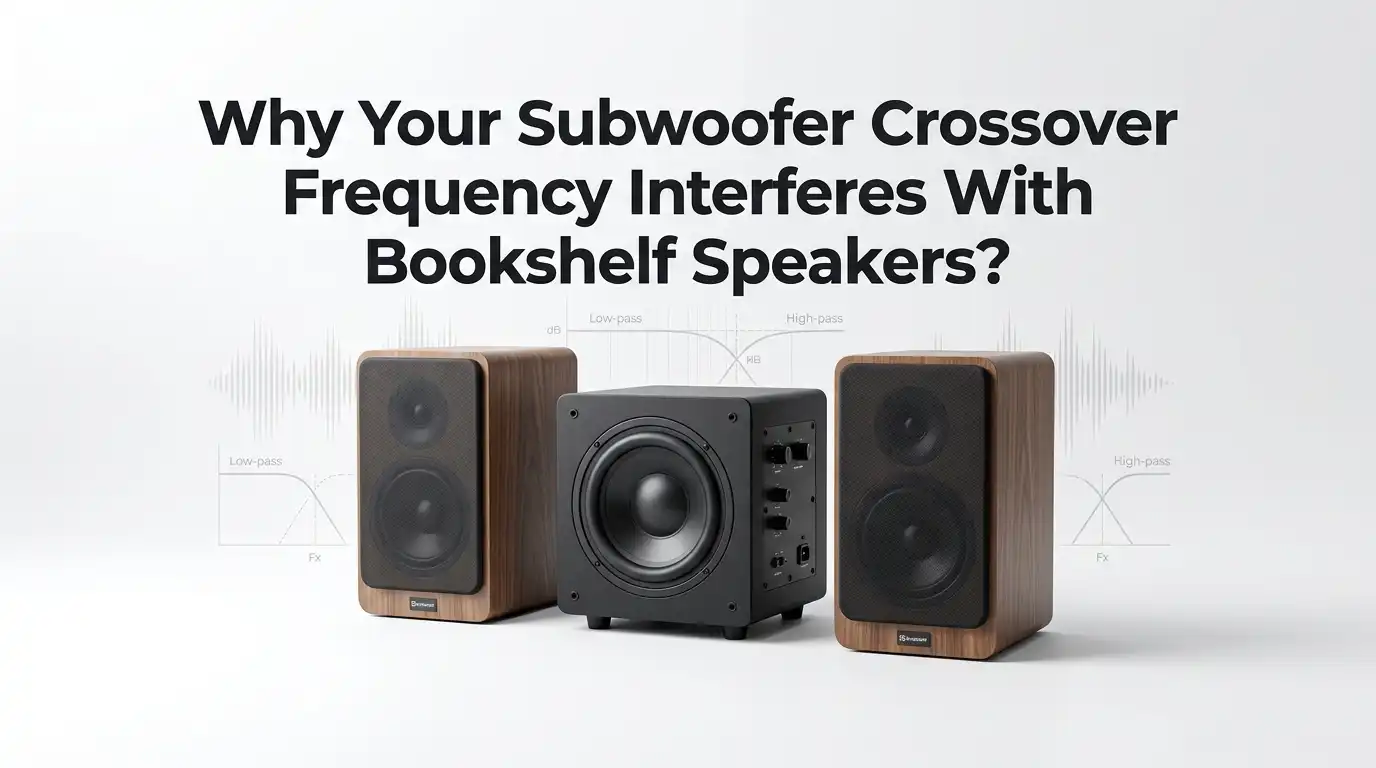
Why Your Subwoofer Crossover Frequency Interferes With Bookshelf Speakers?
A subwoofer should make your system sound bigger, deeper, and smoother. It should not make your bookshelf speakers sound weak, boomy, muddy, or strange.
If your bass feels detached from the music, or if voices seem thick and kick drums feel split between two boxes, the crossover is often the first place to check.
The good news is that this problem is usually fixable. In most rooms, the issue comes from overlap, a gap in the handoff, wrong phase, poor placement, or using two crossover controls at the same time.
In a Nutshell
- Start at 80 Hz and listen with care. That number is a common starting point for a reason. It often gives bookshelf speakers enough relief while keeping the subwoofer low enough to blend well. If your speakers are very small, you may need 90 Hz to 100 Hz. If they are larger and stronger in the bass, you may move lower. This is your baseline, not your final answer.
- Do not let two devices manage the same bass range. If your receiver handles bass management, let it do the job. Set the subwoofer crossover knob to bypass or to its highest point if bypass is not available. Using both filters at once can create a gap or odd overlap that sounds like missing punch or thick upper bass.
- Phase and placement matter as much as the crossover number. Many people keep changing the frequency and never touch the phase switch or the sub position. That wastes time. If the sub and speakers are out of step, they can cancel each other right around the crossover area. A bad room position can also make one note boom while another disappears.
- Speaker size settings are a big deal. In a receiver based system, bookshelf speakers should usually be set to Small. That sends deep bass to the subwoofer and reduces strain on the speakers and the amplifier. If the speakers are set to Large, you can get too much shared bass, loose timing, and muddy sound.
- Use short listening tests with real music and a few test tones. Pick a kick drum track, a male vocal track, a bass guitar track, and a simple bass sweep. Listen for one sound, not two sound sources. If you can point to the subwoofer easily, the crossover may be too high or the level too hot.
- Fix one variable at a time. Change the crossover, then listen. Change phase, then listen. Move the sub a little, then listen. That slow method wins. Fast random changes create more confusion and hide the real problem.
What crossover interference actually sounds like
Crossover interference is the messy handoff between your bookshelf speakers and your subwoofer. Instead of one smooth bass line, you hear two systems fighting. The bass may feel slow, puffy, or stuck in one corner. Voices may sound chesty. Kick drums may lose their clean hit.
Sometimes the problem sounds like too much bass. Sometimes it sounds like not enough. That is what makes this issue tricky. If the sub and speakers overlap too much, some notes get too loud. If they cancel each other, those same notes can vanish.
A common clue is this. Music sounds fine at low volume, but as you turn it up, the lower mid bass area gets thick and annoying. Another clue is easy subwoofer localization. If you can point at the subwoofer during a song, the blend is off.
Pros: Learning the sound of the problem helps you fix it faster.
Cons: Your room can fool your ears, so sound alone does not tell the full story.
Why overlap between the subwoofer and bookshelf speakers happens
Overlap happens when both the subwoofer and the bookshelf speakers play too much of the same range. A small amount of overlap is normal. Too much overlap creates peaks, thickness, and poor timing. The bass gets louder, but not cleaner.
This often happens in two ways. First, the crossover is set too high. Second, the speakers are still trying to play too much bass because the receiver settings are wrong. In some systems, both problems happen at once. That is why the result feels so confusing.
Filters also roll off in slopes. They do not stop sound at one exact number. If you set 80 Hz, the speakers and sub still affect sound around that point. That shared area is where trouble starts if phase, placement, or level are off.
Room modes add another layer. A room can boost one bass note and kill another by a huge amount. That makes a setup problem sound even worse than it is.
Pros: A little overlap can smooth the blend in some rooms.
Cons: Too much overlap creates boom, smear, and false bass weight.
Start with the right crossover range for your speakers
For most bookshelf systems, 80 Hz is the smartest starting point. It is a common standard because it gives the speakers relief from deep bass while keeping the sub low enough to stay less obvious. If your bookshelf speakers are small, you may need 90 Hz or 100 Hz. If they are larger and reach lower with ease, 60 Hz to 80 Hz may work.
A simple rule helps. Look at the speaker’s low end rating and start the crossover about 10 to 15 Hz above where the speaker begins to fall off in real use. That usually creates a safer handoff. Do not assume lower is always better.
Very small bookshelf speakers often sound cleaner with a higher crossover because they struggle with deep bass. Larger models may sound more natural with a lower point. The goal is smooth handoff, not the lowest number.
Pros of 80 Hz: Safe baseline, easy to blend, less strain on speakers.
Cons of 80 Hz: It may be too low for tiny speakers or too high for large stand mounts.
Read your bookshelf speaker bass limits the smart way
Speaker specs can help, but they can also mislead you. A brand may list a low number that looks impressive, yet that number may be measured under easy conditions or at a low output level. In a real room, the speaker may start to weaken much earlier. So do not trust the number alone.
If your bookshelf speaker says it reaches 55 Hz, that does not mean it plays 55 Hz with full strength and control. It may already be dropping before that point. That is why a crossover around 70 Hz or 80 Hz can still be the right move.
Use the spec as a guide, then listen for strain. If the speaker sounds thin at higher crossover points, try slightly lower. If it sounds stressed, muddy, or compressed with more bass load, move the crossover up. Your ears should confirm the paper spec.
A smart test is to compare 70 Hz, 80 Hz, and 90 Hz at the same volume. Pick the one that sounds most even through the upper bass.
Pros: Using specs saves time and gives a clear starting point.
Cons: Specs alone do not show room effects or real world output.
Use one crossover control, not two at the same time
This is one of the most common setup mistakes. If your AV receiver or amplifier has bass management, let that device control the crossover. Then set the subwoofer crossover knob to bypass, LFE, or the highest point available. That keeps one filter in charge.
If you leave the subwoofer crossover active and also set a crossover in the receiver, you create a second filter. That can cut too much upper bass from the sub. The result is often a hole in the handoff. Music loses punch. Bass guitar loses body. Kick drums feel soft.
In a simple stereo setup without receiver bass management, the subwoofer knob may be your only crossover control. In that case, use it. But in receiver based systems, two active controls usually hurt more than help. Many people chase the wrong frequency when the real issue is double filtering.
Pros of single control: Cleaner blend, easier tuning, less confusion.
Cons: You need to know which device is really in charge before you begin.
Set speaker size and bass mode correctly
In many receiver menus, the most important choice is not the crossover number. It is the speaker size setting. Bookshelf speakers should usually be set to Small. That tells the system to send deep bass to the subwoofer where it belongs. This reduces strain and often improves clarity right away.
If the speakers are set to Large, they may still play deep bass while the subwoofer also plays it. That can cause thick bass, overlap, and timing issues. Some receivers also have settings like LFE plus Main or double bass. Those modes send bass to both places at once. In some special cases they can be useful, but most of the time they make integration worse.
For a clean test, set the speakers to Small, turn off any double bass mode, and use a normal subwoofer output path. This gives you a stable starting point and removes one big source of interference.
Pros of Small setting: Better control, cleaner bass, less speaker stress.
Cons: If set too high, it can make the sub easier to notice.
Fix phase before you keep changing frequency
Phase problems can make a correct crossover sound wrong. If the subwoofer and bookshelf speakers reach your ears out of step, they can cancel each other near the crossover region. That creates weak punch, thin bass, or a strange hole in the sound. Many people call this a bad crossover choice, but it is often a phase issue.
Start with the phase switch on 0. Play a track with steady kick drum or bass around the crossover area. Then switch to 180 and listen again from your seat. Pick the setting that gives fuller and tighter bass, not just more boom. If your sub has a variable phase knob, make small changes and stop when bass sounds most solid.
Do this before you keep moving from 70 Hz to 90 Hz and back again. A wrong phase setting can hide the right crossover. If you cannot hear any change, leave it at 0 and continue.
Pros: Fast fix, no cost, often solves weak punch.
Cons: In some rooms the difference is subtle and hard to judge by ear.
Move the subwoofer before you blame the crossover number
Placement changes bass more than many people expect. A sub near a corner usually gives more output. That can help in a large room, but it can also create boom and thick upper bass. A sub pulled away from walls may sound tighter, but it can lose weight. There is no single perfect spot for every room.
If your crossover seems to interfere with the speakers, try moving the subwoofer a small amount first. Even one or two feet can change the response around the handoff area. A common method is the sub crawl. Put the sub at the main listening spot, play bass heavy material, then walk around the room and find the place where bass sounds smoothest. Put the sub there.
This method is simple and useful because room position changes peaks and dips in a big way. A bad spot can make any crossover setting sound broken.
Pros of corner placement: More output and stronger impact.
Cons of corner placement: More boom and room problems.
Pros of away from walls: Cleaner blend and tighter bass.
Cons of away from walls: Less output and less room gain.
Match the subwoofer level with the bookshelf speakers
A subwoofer that is too loud creates the illusion of a crossover problem. The bass seems detached. Male voices sound heavy. The room hums on simple notes. In reality, the level is just too high. Good bass should feel built into the speakers, not pasted underneath them.
Set the subwoofer level lower than you think you need, then raise it slowly. Use music with kick drum, bass guitar, and vocals. If the bass grabs your attention all the time, the level is probably too high. If the system sounds thin and small, raise it a little.
A useful trick is to set the level until the bass feels right, then reduce it one small step. Live with that for a day. Many people find that the slightly lower setting sounds more natural over time. Short tests often reward bass excitement. Long listening rewards balance.
Pros: Easy fix, no tools needed, big effect on blend.
Cons: Ears adapt fast, so it is easy to set the sub too hot.
Use room correction, but always verify it by ear
Room correction can help a lot. It can set distance, level, and crossover suggestions. In many systems, it gives a better result than pure guesswork. But it is not magic. Auto setup can pick a crossover that looks smart on paper yet sounds off in your room.
After running room correction, check three things. First, make sure bookshelf speakers are set to Small. Second, check whether the crossover is sensible for their size. Third, confirm the subwoofer level. If the system sounds thin, muddy, or split, adjust from there.
Do not fear manual changes after auto setup. Many people get better results by raising the crossover a little above what the system chose. Others need a lower sub level than the automatic result. Use the software as a helper, not a final judge.
Pros of room correction: Fast baseline, better timing, smoother response.
Cons of room correction: It can choose odd crossover points or too much bass.
Solve boomy bass, muddy vocals, and thick upper bass
If your system sounds boomy, the crossover may be too high, the sub level may be too strong, or the sub may be too close to a corner. Start by lowering the sub level a little. If that helps but does not fix it, lower the crossover by 10 Hz and listen again. Boom often lives in the upper bass handoff area.
Next, check speaker size and double bass settings. If the bookshelves are set to Large, switch them to Small. If LFE plus Main is active, turn it off for your test. Then try the phase switch. A wrong phase setting can make some notes swell while others disappear.
Move the sub away from a corner if the room sounds overloaded. Even a small move can reduce that swollen bass region. Do not change everything at once. Lower level, test. Lower crossover, test. Move position, test. That sequence makes the cause easier to find.
Pros of lower crossover: Less localization and less upper bass thickness.
Cons of lower crossover: It can leave a hole if the speakers are too small.
Solve thin bass, weak kick drums, and missing punch
Thin bass is the other side of the same problem. The crossover may be too low for your speakers, or double filtering may be cutting too much from the subwoofer. Phase can also cancel the punch zone near the handoff. This is why missing bass does not always mean you need more volume.
First, make sure only one crossover control is active. Then raise the crossover by 10 Hz if your speakers are small. Next, test phase. If one setting gives a fuller kick drum and stronger bass guitar lines, keep it. Then check the subwoofer distance setting in your receiver if available. A wrong distance can affect timing.
Also watch the sub level. If it is very low, the system will feel dry and weak. Raise it a little, but stop before the sub becomes obvious. Punch comes from alignment and balance, not just from adding more bass.
Pros of higher crossover for small bookshelves: Better support and less speaker strain.
Cons of higher crossover: Greater risk of sub localization.
Use simple tools when your ears cannot decide
Your ears matter, but a simple measurement can save hours of guessing. A test tone sweep or a phone app can reveal a hole or hump near the crossover area. A measurement microphone is even better if you have one, but you do not need expensive gear to learn a lot. Seeing the bass response can explain why your ears feel confused.
Play a slow sweep from about 30 Hz to 120 Hz. If volume jumps hard at one note, you likely have a room peak. If it drops badly near the crossover region, you may have a phase or double filtering issue. Then make one change and test again.
Measurements are most helpful when you compare before and after. Do not chase a perfect graph. Chase a smoother handoff and better music. If your room is large or has several seats, a second subwoofer can also smooth the response and reduce seat to seat swings.
Pros of measurement: Faster diagnosis and less guessing.
Cons of measurement: It can tempt you to over tune and ignore real listening.
When a second subwoofer is the better fix
Sometimes the crossover is not the true villain. The room is. One subwoofer can create big peaks and deep nulls across the room. That makes the blend with bookshelf speakers unstable. One seat sounds heavy. Another seat sounds empty. No single crossover number can fully solve that.
A second subwoofer can smooth bass across more seats and reduce the wild swings that make integration hard. Two subs also lower the chance that one room mode dominates the sound. This does not remove the need for proper crossover, phase, and level settings, but it makes those settings work better.
If you have tried sensible crossover points, phase checks, level matching, and placement moves, yet the bass still changes too much across the room, dual subs may be the next smart step. They solve room coverage problems better than endless crossover tweaking.
Pros of two subs: Smoother bass, more even seats, less severe peaks and nulls.
Cons of two subs: More setup time, more space needed, more variables to manage.
A simple step by step reset that works in most rooms
If your setup feels messy and you want a clean restart, use this order. Set the bookshelf speakers to Small. Turn off double bass or LFE plus Main modes. Let only one crossover control be active. Set the sub crossover to bypass if the receiver handles bass. Start at 80 Hz. Set phase to 0. Set the sub level modestly.
Now listen to three tracks you know well. One with kick drum. One with male vocals. One with bass guitar. If the bass is weak, test phase and raise the crossover slightly if the speakers are small. If the bass is boomy, lower the level and try a slightly lower crossover. Move the sub only after those checks.
Finish by making one small placement change if needed. Then stop. Live with the result for a day. The best setup often sounds natural, not dramatic. That is how a subwoofer should behave.
FAQs
Is 80 Hz always the best crossover for bookshelf speakers?
No. It is the best starting point for many systems, but not every system. Small bookshelf speakers may need 90 Hz or 100 Hz. Larger stand mount speakers may blend better at 60 Hz to 80 Hz. The right choice depends on the speaker’s real bass ability, room placement, and phase alignment.
Why does my subwoofer become easy to locate?
This usually happens because the crossover is too high, the sub level is too loud, or the sub is in a bad spot. It can also happen if the speakers and sub are not blending in phase. Lowering the crossover a little and reducing the sub level often helps fast.
Should bookshelf speakers be set to Large or Small?
In most receiver based systems, set them to Small. That sends deeper bass to the subwoofer and reduces stress on the speakers. Setting them to Large often creates too much overlap and makes the crossover region harder to control.
What if changing the crossover does almost nothing?
Then the real problem may be phase, placement, room modes, or double filtering. Check that only one crossover control is active. Test the phase switch. Move the subwoofer a little. Also confirm that the receiver did not set the speakers to Large or turn on a shared bass mode.
Can room correction fix crossover interference by itself?
Sometimes it helps a lot, but it should not be trusted without a manual check. Auto setup can improve timing and response, yet it can still choose an odd crossover or a hot sub level. Use it as a strong first step, then fine tune by ear.

Hi, I’m Rue Hessel, the founder and voice behind TheGenTool. I’m a passionate tech enthusiast who loves exploring the latest gadgets, smart devices, and electronics that shape our everyday lives. Through my website, I share honest, hands-on reviews of trending Amazon products to help you make smarter and more confident buying decisions.