Why Is My Drone Obstacle Avoidance Sensor Failing in Bright Sunlight?
You lift your drone into a beautiful blue sky. The sun is shining, the scenery looks perfect, and you are ready for that epic aerial shot. Then it happens. Your drone suddenly stops mid-air.
The screen flashes an obstacle warning. You look around. There is nothing there. No trees, no buildings, not even a bird. Just clear, open sky. Your heart sinks a little.
The drone refuses to move forward. You try again. Same result. The obstacle avoidance sensor keeps triggering for no reason. You wonder if something is broken. The truth is simpler than you think. Your sensors are not broken.
In a Nutshell:
- Sunlight overwhelms the optical and infrared sensors on your drone because the sun emits massive amounts of infrared and visible light. Your drone mistakes this intense light for a solid object and triggers a false obstacle warning.
- Low sun angles during sunrise, sunset, and golden hour make the problem much worse. The sunlight enters the sensor lenses directly and creates lens flare, confusing the vision system into seeing obstacles that do not exist.
- You can quickly test if sunlight is the real cause by flying in a different direction, changing altitude, or waiting for a cloud to pass. If the warning disappears when you turn away from the sun, you have your answer.
- Cleaning your sensors and recalibrating your vision system are the first two fixes you should try. Dirt, smudges, or moisture on sensor lenses magnify sunlight interference and cause constant false readings.
- Switching to Sport Mode or manually disabling obstacle avoidance is a safe emergency override when you are flying high above all real obstacles. This gives you full control and stops the drone from freezing mid-flight.
- Flying when the sun is higher in the sky or keeping the sun behind your drone are the easiest long-term solutions. You can also fly backward so the rear sensors handle navigation while the front sensors point away from the sun.
How Drone Obstacle Avoidance Sensors Actually Work
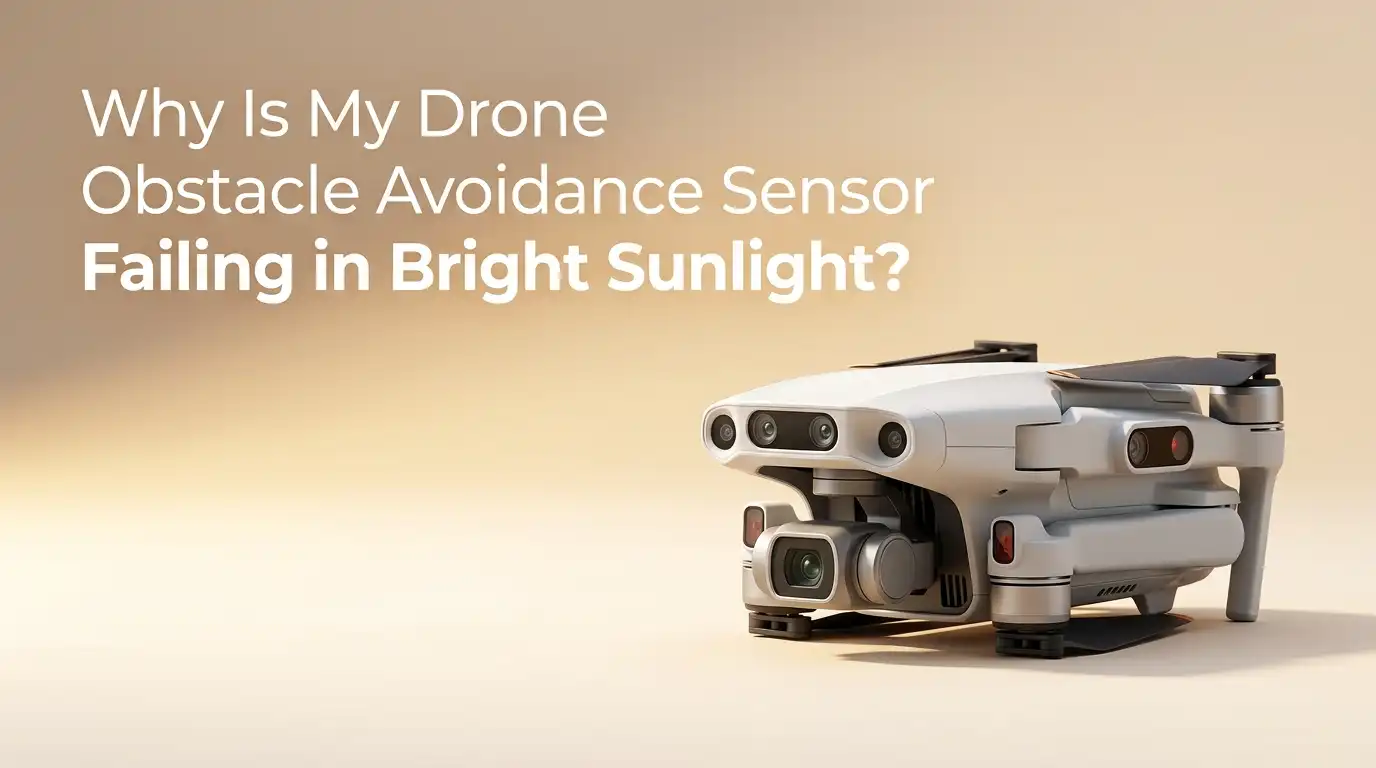
Your drone sees the world through a set of small sensors placed around its body. These sensors are not the main camera. They are separate little eyes that scan for objects in every direction. Most modern drones use a mix of binocular vision cameras, infrared sensors, and sometimes ultrasonic or LiDAR sensors.
The binocular vision system works just like your own two eyes. Two tiny cameras sit side by side and compare their images. The flight computer calculates the distance to objects by measuring how much the images differ between the left and right camera.
This is called stereo vision. It gives the drone a three-dimensional map of everything around it. The infrared sensors work differently. They emit invisible infrared light and measure how long it takes for that light to bounce back from nearby surfaces.
Pros: Multiple sensor types working together create a strong safety net. The system works reliably in most normal lighting conditions.
Cons: Each sensor type has its own weakness. Vision sensors need good contrast. Infrared sensors get confused by strong external infrared sources. LiDAR can be expensive and power-hungry.
Why Bright Sunlight Confuses Your Drone Sensors
The sun is not just a bright light. It is a massive source of energy that covers the entire electromagnetic spectrum. Your drone sensors were designed to detect specific types of light. Sunlight contains all of those types and more.
When the sun shines directly into your forward vision sensors, the light overwhelms the small camera sensors inside. The image becomes completely white. There is no contrast left for the stereo vision system to work with.
Without contrast, the two cameras cannot find matching pixels. Without matching pixels, the drone cannot calculate depth. The system panics and assumes there must be something huge right in front of it. The same thing happens with infrared sensors.
Low Sun Angle and Golden Hour: The Worst Time for Sensors
You might think that bright midday sun causes the most problems. Strangely, the opposite is true. The worst time for obstacle avoidance sensors is during sunrise, sunset, and the golden hour. When the sun sits low on the horizon, its light enters your drone sensors at a shallow angle.
This low-angle light shines almost directly into the front-facing sensor lenses. It creates intense lens flare and internal reflections inside the sensor housing. The sensors see a washed-out, hazy image with no clear edges.
The drone responds by stopping and reporting an obstacle detected message. Many pilots report that their drone suddenly refuses to fly forward during sunset flights. Some drones even start climbing on their own during Return to Home.
Pros: You can still fly during golden hour. The light is beautiful for photography. You just need to use the right techniques.
Cons: Low sun angle is the number one trigger for false obstacle detection. Your automated flight modes like RTH and waypoints can behave unpredictably.
Water, Glass, and Reflective Surfaces Multiply the Problem
Bright sunlight alone is bad enough. Add a reflective surface below your drone and the problem doubles. Water is the most common culprit here. Lakes, rivers, oceans, and even wet sand act like giant mirrors.
The sun bounces off the water surface and hits your drone sensors from below. Your downward and forward sensors get confused by the intense reflected light. The same thing happens with glass buildings, polished metal roofs, snow, and ice.
The reflections create multiple false light sources that your sensors cannot interpret. Pilots often report that their drone suddenly stops over water even at high altitudes. The drone is not detecting the water surface. It is detecting the sun’s reflection as a solid object.
Pros: Understanding why reflections cause problems helps you predict when they will happen. You can avoid these surfaces during low-light or high-glare conditions.
Cons: Reflections are unpredictable. A calm lake can suddenly become a mirror as the sun angle changes during your flight.
Infrared Sensors and Sunlight: A Built-In Weakness
Infrared sensors are popular in drones because they are inexpensive and work in low visible light. They help with downward positioning and close-range obstacle detection. But they have a fundamental flaw that cannot be fully engineered away.
The sun is the most powerful infrared source in our solar system. Your drone’s infrared emitter is like a tiny flashlight next to a stadium floodlight. The sensor cannot distinguish between its own reflected signal and the sun’s natural infrared output.
This is not a defect. It is a limitation of the technology itself. Electronics engineers have been dealing with this problem for decades in everything from TV remotes to automatic faucets. Some advanced drones use pulsed infrared signals with specific patterns to filter out sunlight.
Pros: Infrared sensors work well indoors, in shade, and during cloudy days. They add an extra layer of safety for close-range detection.
Cons: Direct sunlight renders infrared sensors nearly useless. They are the most sunlight-sensitive component on your drone.
How to Check If Sunlight Is Really the Cause
Before you start adjusting settings or taking apart your drone, you need to confirm that sunlight is the real problem. The test is simple. Fly your drone to a safe altitude above all real obstacles. Point the drone directly toward the sun.
Watch for the obstacle warning on your screen. Now yaw the drone 90 degrees to the left or right. Did the warning disappear? If yes, the sun is your culprit. Next, try turning the drone 180 degrees so the sun is behind it.
The warning should clear completely. You can confirm further by waiting for a cloud to pass in front of the sun. If the warning vanishes while the cloud blocks the sun and returns when the sun comes back out, you have your answer. Also check the sensor view in your drone app.
Clean Your Sensors the Right Way Before Every Flight
Dirty sensors are the silent enemy of obstacle avoidance systems. A thin layer of dust, a fingerprint smudge, or a tiny drop of moisture can magnify sunlight interference ten times over. Dirt scatters incoming light in all directions.
Instead of a clean beam of sunlight hitting the sensor at one angle, you get a messy spray of scattered light flooding the entire lens. This makes it nearly impossible for the sensor to see anything clearly. Make sensor cleaning part of your pre-flight routine.
Use a microfiber cloth designed for camera lenses. Do not use paper towels, tissue, or your shirt. These materials leave behind tiny fibers and can scratch the sensor lenses. A lens blower is even better as a first step.
Use the blower to remove loose dust without touching the surface at all. If you need to wipe, apply a small drop of lens cleaning solution to the cloth first, never directly onto the sensor. Gently wipe in one direction without pressing hard.
Pros: Clean sensors dramatically reduce false obstacle warnings. The fix is free and takes only two minutes.
Cons: Aggressive cleaning can scratch the lenses. Using the wrong materials leaves more residue than you started with.
Calibrate Your Vision Sensors for Better Accuracy
Sensor calibration tells your drone exactly where its cameras and sensors are pointing relative to each other. Over time, small bumps, temperature changes, and general use can shift the sensors out of alignment.
When the calibration is off, the stereo vision system cannot properly match pixels between the left and right cameras. This makes the system even more vulnerable to sunlight confusion. Most drone apps include a built-in calibration tool.
You connect your drone to a computer or use the mobile app to walk through the calibration process. The software displays a pattern on your screen. You hold the drone and point each sensor at the screen at specific angles.
The drone captures images of the pattern from multiple positions. The software then recalculates the exact position and orientation of every sensor. The whole process takes about five to ten minutes.
Pros: Calibration restores factory-level sensor accuracy. It reduces false positives across all lighting conditions, not just sunlight.
Cons: The process requires a computer or a specific app. It can feel technical and intimidating for beginners.
Adjust Your Flight Angle to Reduce Sunlight Interference
You do not always need to change settings to solve this problem. Sometimes the simplest fix is to change how you fly. The sensors on your drone point in fixed directions. If you change the drone’s orientation, you change which sensors face the sun.
The most effective trick is to fly backward when you need to move toward the sun. Most drones have rear-facing obstacle avoidance sensors. When you fly backward, the rear sensors handle navigation while the front sensors point away from the sun.
This simple reversal often eliminates false warnings completely. Another technique is to fly at a diagonal angle. Instead of moving straight toward the sun, fly at a 45-degree angle. This keeps the direct sunlight from shining straight into the front sensor lenses.
You can also adjust your altitude. Climbing higher reduces the angle at which sunlight hits your sensors. Descending lower can sometimes put the sun behind nearby trees or buildings that act as natural light shields.
Pros: No settings changes needed. Works instantly. Keeps obstacle avoidance active for genuine threats.
Cons: Flying backward limits your camera framing. Diagonal flight paths require more active piloting and attention.
When and How to Disable Obstacle Avoidance Safely
There are times when the safest thing you can do is turn off obstacle avoidance entirely. This sounds scary. But it is actually the right call when you are flying high above every real obstacle. If your drone is 200 feet in the air with nothing around it, false obstacle warnings serve no purpose.
They only interrupt your flight and cause panic. Most drone apps allow you to disable obstacle avoidance through the safety settings menu. Look for options labeled Obstacle Avoidance Action or Enable Obstacle Avoidance.
You can usually switch between Bypass, Brake, and Off modes. Bypass mode lets the drone try to fly around detected objects. Brake mode makes the drone stop and hover when it detects something. Turning the setting to Off removes all automated obstacle responses.
Pros: Eliminates all false sunlight warnings instantly. Gives you complete flight control. The option is easily accessible in the app.
Cons: Removes your safety net against real obstacles. Requires full pilot attention. Not suitable for beginners or automated flight modes.
Sport Mode as a Quick Emergency Override
Sport Mode is the fastest way to override a frozen drone in bright sunlight. When your drone locks up mid-air because it thinks the sun is a wall, switching to Sport Mode instantly disables obstacle avoidance and gives you full manual control.
This is the emergency escape hatch that experienced pilots rely on. On most drones, you switch to Sport Mode using a physical toggle on the remote controller. The mode switch usually has three positions: Cine, Normal, and Sport. Flick it to Sport.
The drone immediately ignores all sensor inputs and follows your stick commands directly. You can now fly the drone away from the sunlit area or bring it home manually. Sport Mode also increases the drone’s speed and responsiveness.
This is both a benefit and a risk. The drone moves faster and reacts more sharply to your inputs. Fly gently until you are comfortable with the handling change. Once you have moved the drone out of the problem area, you can switch back to Normal mode.
Pros: The fastest override available. Accessible from the physical controller without navigating menus. Works every time.
Cons: Disables all obstacle avoidance. Higher speed increases collision risk. Drains battery faster. Steering feels more aggressive.
Choose the Right Time of Day for Your Drone Flight
The easiest way to avoid sunlight sensor problems is to plan your flights around the sun. You do not need to stop flying in sunshine. You just need to be smart about timing. The sun sits highest in the sky between 10 AM and 2 PM.
During these hours, sunlight comes from above rather than from the horizon. Your forward sensors point horizontally and receive less direct sunlight. This reduces false obstacle warnings significantly.
Early morning flights before 8 AM and late afternoon flights after 4 PM put the sun at lower angles. These are the riskiest times for sensor confusion. If you must fly during golden hour for photography, plan your route so the sun stays behind your drone.
Pros: Free solution. No equipment or settings changes needed. Works for any drone model.
Cons: Limits your creative window for golden hour photography. Not always possible for time-sensitive commercial jobs.
Understand That Your Sensors Are Not Damaged by Sunlight
Many pilots worry that bright sunlight will permanently damage their obstacle avoidance sensors. This fear is understandable. You spent good money on your drone. The thought of cooking the sensors with sunlight is frightening.
The good news is that sunlight does not damage obstacle avoidance sensors under normal use. These sensors use small cameras and infrared receivers that are designed to handle outdoor brightness.
They are not the same as the delicate thermal imaging sensors found on specialized industrial drones. Your main camera sensor could suffer damage if pointed directly at the sun for long periods.
But the obstacle avoidance sensors are much simpler devices with smaller, less sensitive components. They may get overwhelmed and stop working temporarily. But they recover as soon as the sunlight angle changes.
Firmware Updates Can Improve Sensor Sunlight Handling
Drone manufacturers release firmware updates regularly. Some of these updates specifically improve how the obstacle avoidance system handles challenging lighting conditions. The engineers collect flight data and user reports about false obstacle detections.
They analyze patterns and adjust the sensor algorithms to be smarter about sunlight. A firmware update can teach your drone to recognize the difference between a real obstacle and the sun. It might adjust the exposure settings on the vision cameras.
It might improve the infrared pulse filtering to reject sunlight interference better. It might change how aggressively the drone brakes when it detects something uncertain. Always keep your drone firmware up to date.
Check for updates in your drone app before important flights. Read the release notes to see what each update changes. If your drone has been sitting unused for a few months, there is likely an update waiting.
Pros: Free improvements from the manufacturer. Can significantly reduce false warnings. Often includes other bug fixes and features.
Cons: Updates take time and battery. Rarely, a new firmware version introduces new issues. Always wait a few days after a release to check user feedback.
Know When to Seek Professional Repair
Most sunlight-related sensor problems are not hardware failures. They are simply the sensors doing their job in difficult conditions. But sometimes the problem is deeper.
If you have cleaned your sensors, recalibrated them, updated the firmware, and tried all the flight techniques and the false warnings persist even in mild sunlight, you may have a hardware issue. A sensor may be misaligned from a previous crash.
The lens may be scratched or cracked. There could be internal moisture or dust inside the sensor housing that you cannot clean from the outside. The ribbon cable connecting the sensor to the main board might be loose or damaged.
These issues require professional diagnosis. Contact the manufacturer’s support team or visit an authorized repair center. Describe the problem in detail. Mention that you have already cleaned and recalibrated the sensors.
Frequently Asked Questions
Does bright sunlight permanently damage drone obstacle avoidance sensors?
No. Bright sunlight does not cause permanent damage to obstacle avoidance sensors under normal flying conditions. These sensors use cameras and infrared receivers designed for outdoor brightness. They may get temporarily overwhelmed and trigger false warnings. But they recover fully as soon as the light angle changes or the drone moves away from direct sun.
Why does my drone stop and climb when flying toward the sun?
Your drone stops and climbs because it misreads the bright sunlight as a solid wall in the sky. The vision sensors see a completely white, washed-out image with no contrast. The flight computer interprets this as a large obstacle directly ahead. When your Return to Home settings are set to climb over obstacles, the drone automatically ascends to try to fly over what it thinks is a wall.
Can I use ND filters to fix obstacle avoidance sensor problems in sunlight?
No. ND filters attach to your main camera lens. They reduce the amount of light entering the camera to help with video exposure and motion blur. Your obstacle avoidance sensors are separate from the main camera. They sit in different locations on the drone body and are not covered by ND filters.
Does flying over water make sunlight sensor problems worse?
Yes. Water acts like a giant mirror. The sun reflects off the water surface and hits your drone sensors from below. This creates a double problem. Your forward sensors deal with direct sunlight while your downward sensors deal with reflected sunlight from the water. Both sets of sensors can trigger false obstacle warnings at the same time.
Is it safe to turn off obstacle avoidance completely?
It is safe to turn off obstacle avoidance when you are flying well above all real obstacles and you maintain visual line of sight with your drone. If your drone is at 200 feet with nothing around for miles, there is nothing to hit. The obstacle avoidance system is providing no real safety benefit at that altitude.

Hi, I’m Rue Hessel, the founder and voice behind TheGenTool. I’m a passionate tech enthusiast who loves exploring the latest gadgets, smart devices, and electronics that shape our everyday lives. Through my website, I share honest, hands-on reviews of trending Amazon products to help you make smarter and more confident buying decisions.