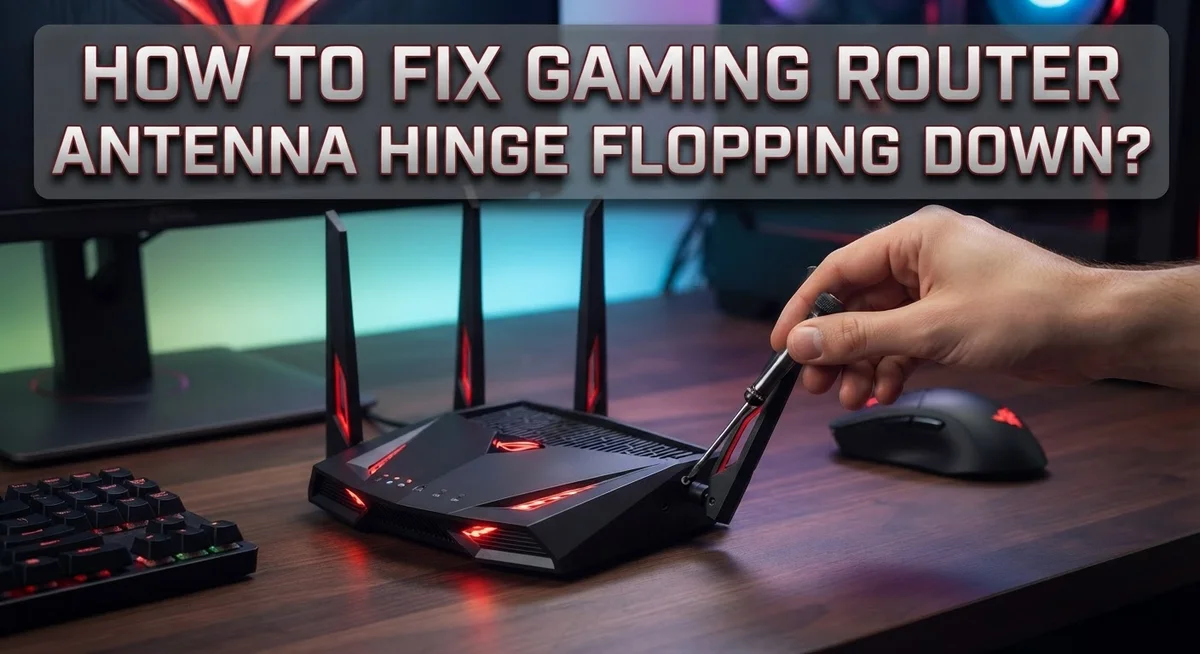
How To Fix Gaming Router Antenna Hinge Flopping Down?
Does your gaming router’s antenna keep flopping down at the worst possible time? You adjust it. It falls again. Meanwhile, your game lags and your signal drops.
This is a common problem for many gamers. Router antennas often loosen over time. The hinge wears out, and gravity takes over.
The good news? You don’t need to buy a new router. Most flopping antennas can get fixed with simple tricks you can do at home.
In this guide, we will show you why this happens in the first place. We’ll cover the best antenna angles for stronger signal strength. You will also learn quick fixes, like using cable ties to hold your antenna steady.
We’ll also point out common mistakes that make signal problems worse. Things like blocking your router behind furniture or setting antennas at the wrong angle.
By the end, you’ll know exactly how to stop the flop and boost your gaming connection. No more frozen screens or dropped matches because of a floppy antenna.
Let’s get your router back in fighting shape.
In a Nutshell
-
A flopping antenna is a mechanical issue. It happens due to wear or a loose hinge over time.
-
Antenna position matters a lot. It directly affects your Wi-Fi signal strength and coverage during gameplay.
-
For two side antennas, angle them 45° away from the router. This helps spread the signal evenly.
-
In single-story homes, keep back antennas vertical. Vertical orientation often gives the best signal distribution.
-
Using cable ties can secure a loose antenna in place. This is a quick fix, but it’s only temporary.
-
Never place your router behind cabinets or walls. Obstructions block signal and hurt your connection.
-
Persistent flopping is not normal. It usually means the hinge is worn out or defective.
-
Inspecting your antenna setup often helps you catch these issues early. Fixing angles can boost overall performance fast.
Why Router Antenna Hinges Loosen Over Time
Your gaming router’s antenna hinges weaken for several reasons. Understanding these causes helps you prevent future problems and keep your connection stable.
Constant repositioning is the main culprit. Every time you adjust your antenna angle, you put stress on the hinge mechanism. Gamers often move antennas to chase better signal strength, which accelerates wear over time.
Heat exposure damages hinge joints too. Gaming routers generate significant heat during operation. This heat causes plastic hinges to become brittle and lose their grip. The material simply doesn’t hold tension like it did when new.
Dust and debris accumulate inside the hinge mechanism. Small particles get trapped in the joint, creating friction and preventing smooth movement. Over months, this buildup causes the hinge to feel loose or unstable.
Manufacturing tolerances play a role as well. Some router models have hinges designed with tighter tolerances than others. Routers with looser factory specifications tend to flop sooner than premium models.
Humidity and temperature swings affect hinge integrity. If your router sits near windows or in damp areas, moisture can corrode the internal hinge components. Rapid temperature changes also cause materials to expand and contract, which gradually loosens the connection.
Vibrations from surrounding devices contribute to the problem too. Speakers, fans, or other electronics near your router create vibrations that jiggle the antenna hinges loose over time.
Age is simply a factor. After 2 to 3 years of regular use, most router hinges show signs of wear. The mechanical stress adds up gradually until the hinge can no longer support the antenna weight.
Recognizing these causes matters because it shows you that flopping is not normal behavior. Your router’s hinges should hold position firmly. When they start to fail, it signals that maintenance or replacement parts may be necessary soon.
Signs Your Antenna Hinge Is Affecting Wi-Fi Performance
A drooping antenna affects your gaming performance more than you might think. When your antenna flops down, the signal path changes. Your Wi-Fi strength drops noticeably in certain rooms.
Poor signal strength is the first sign something is wrong. You’ll notice slower download speeds during online matches. Your ping times spike when the antenna isn’t positioned correctly. Lag becomes frustrating when you need precision gaming.
Dead zones appear in your home when antennas hang at wrong angles. One corner of your house suddenly loses connection. Your bedroom might have excellent signal while your living room struggles. This uneven coverage pattern points to antenna positioning issues.
Connection drops happen more frequently with a flopping antenna. Your game disconnects at critical moments. The router loses stability because the antenna can’t maintain a consistent signal path. You’ll see your device reconnect to the network repeatedly.
Interference increases when antennas aren’t positioned properly. Other wireless devices compete for the same airspace. Your 5 GHz band becomes congested. The 2.4 GHz band experiences more interference too.
Video streaming stutters on devices farther from the router. Downloads pause and resume unexpectedly. This happens because the signal weakens as the antenna droops throughout the day.
Inconsistent performance is key to spotting antenna hinge problems. Your connection works fine one moment, then drops the next. You can’t predict when your gaming will lag. This unpredictability suggests a mechanical issue rather than network congestion.
Check your signal strength using your device’s network settings. Compare readings when the antenna stands upright versus when it flops down. A significant drop confirms the hinge is affecting performance.
Test different areas of your home. Notice where signal strength varies most. Areas with the worst reception often align with antenna drooping patterns.
These signs tell you the hinge needs attention soon. Ignoring them leads to worse gaming experiences over time.
Step-by-Step: Tightening or Stabilizing a Loose Antenna Hinge
Start by gathering the tools you’ll need. You don’t need much—just a screwdriver, your hands, and maybe some cable ties. Turn off your router completely before you begin any work. This keeps you safe and prevents accidental damage to the device.
Locate the antenna hinge that’s flopping. Gently wiggle it with your fingers to feel how loose it is. Pay attention to which direction it moves most. Some hinges loosen in one direction more than others. This tells you exactly where the problem sits.
Check if the hinge has a visible screw or bolt. Many gaming routers have a small screw at the base where the antenna connects to the router body. Use your screwdriver to tighten this screw slowly. Don’t force it—turn it just enough to feel resistance. Over tightening can crack the plastic hinge.
Test the antenna after tightening. Move it by hand to see if it stays where you position it. The antenna should hold its angle without drooping. If it still flops, the internal hinge mechanism may be worn out.
Position your antenna correctly while you’re working on it. For most gaming routers, angle side antennas at 45 degrees away from the device. Keep back antennas vertical for better signal distribution throughout your home.
If tightening doesn’t work, use cable ties as a temporary solution. Wrap a cable tie around the antenna and router body to hold the antenna in your desired position. This prevents flopping while you decide on next steps.
Check your Wi-Fi signal strength after stabilizing the antenna. Use your phone or computer to scan available networks and see if signal improves. Proper antenna positioning should give you noticeably better coverage in weak areas.
Optimal Antenna Angles for Gaming Routers
Getting the right antenna angle makes a huge difference for your gaming setup. The position of your antennas directly affects how strong and far your Wi-Fi signal reaches throughout your home.
For routers with two side antennas, angle each one about 45 degrees away from the router body. This spreads your signal more evenly in different directions. One antenna pointing slightly forward and one pointing slightly back creates better coverage across multiple rooms.
In single story homes, position your back antennas vertically whenever possible. Vertical orientation works best for distributing signal horizontally throughout your space. This simple adjustment often improves performance noticeably, especially for devices in other rooms.
Think about your home layout when deciding on angles. If most of your gaming happens in one area, angle antennas toward that zone. For whole home coverage, spread them out at different angles rather than pointing them all the same direction.
Vertical positioning is often optimal for signal distribution, but your specific situation matters. Test different angles and check your signal strength in various spots. Use your device’s network settings to measure signal quality as you adjust each antenna.
Avoid pointing antennas straight up or straight down. These extreme angles create dead zones where signal barely reaches. A mix of angles works better than uniform positioning.
Remember that antenna angle works together with placement. Even perfectly angled antennas won’t help if your router sits inside a cabinet or behind walls. Keep your router in an open, central location for best results.
Once you find the optimal angles for your space, secure your antennas firmly so they stay put. This prevents the flopping problem from ruining your carefully calibrated setup. Check your angles every few months since antennas can drift over time with vibration and movement.
Using Cable Ties and Other Temporary Support Methods
Cable ties offer a quick and practical way to hold your antenna in place while you work on a permanent fix. These flexible straps wrap around the antenna and router body to prevent unwanted movement. They cost almost nothing and work with most router models.
Start by gathering your supplies. You’ll need cable ties in various sizes, scissors or a cutting tool, and possibly some padding material like foam or cloth. The padding helps protect your antenna from getting scratched or damaged by the tie itself.
Wrap a cable tie loosely around the antenna hinge first. Don’t pull it too tight right away. You want to test the antenna position before locking everything down. Position your antenna at the angle you want, then gradually tighten the tie until it holds firmly.
Other temporary support methods work just as well. Velcro strips stick to both the antenna and router without leaving permanent marks. They let you adjust your antenna angle whenever you need to. Fishing line wrapped carefully around the antenna provides invisible support if appearance matters to you.
Foam pipe insulation can cushion your antenna hinge and add friction to reduce movement. Wrap it around the hinge area before securing with cable ties. This method protects the hinge from additional stress while holding your antenna steady.
Remember that these solutions are temporary fixes only. Cable ties and similar methods buy you time while you decide on a permanent solution. They prevent your antenna from flopping during gaming sessions and help maintain consistent signal strength.
Check your Wi-Fi performance after securing the antenna. Test your connection in different rooms to confirm the signal improved. If performance stays poor, your antenna angle might still need adjustment even though it’s now held in place.
Mistakes That Make Hinge and Signal Problems Worse
Many people accidentally make their antenna hinge problem worse by doing the wrong things. Understanding these mistakes helps you avoid them and keep your gaming router working properly.
Placing your router in the wrong location is one of the biggest errors. Hiding your router inside a cabinet, closet, or behind other objects blocks the signal. Metal, wood, and dense materials absorb wireless waves. This forces your antennas to work harder, which puts extra stress on the hinges. The flopping becomes worse because the mechanical parts wear out faster under this strain.
Ignoring incorrect antenna angles also damages your setup over time. When antennas point straight up, down, or at odd angles, the signal bounces poorly around your home. Your devices struggle to connect, so your router works overtime. This constant strain on the hinge mechanism accelerates wear and tear.
Many people assume that antennas flopping down is normal behavior. It’s not. A healthy antenna hinge should stay firmly in place once you position it. If your antenna keeps dropping on its own, something is mechanically wrong. Ignoring this issue means the hinge will get worse and eventually fail completely.
Another mistake is tightening the hinge too aggressively. You might think cranking it down hard will fix everything, but over tightening can strip the internal threads or crack the plastic connector. This makes the problem permanent instead of fixable.
Leaving antennas unsecured after repositioning is also common. You position them correctly for your home layout, but then they flop back down. This repeated movement damages the hinge faster than steady positioning does. Once you find the right angles, keep them stable so the hinge doesn’t experience constant motion.
Finally, delaying repairs allows the problem to spread. A loose hinge that flops occasionally becomes a completely broken hinge that won’t stay in any position. Address the issue early to prevent total failure.
Troubleshooting Persistent Flopping and Weak Signal Issues
When your gaming router antenna keeps flopping down, you need to identify whether the problem is mechanical wear or signal positioning. Persistent flopping signals that your hinge has lost tension over time. This is different from simply adjusting antenna angles for better coverage.
Start by checking if the hinge moves freely without resistance. Gently move the antenna up and down. If it drops on its own without any force, the internal spring mechanism has likely weakened. This is normal wear and tear on gaming routers that get adjusted frequently.
Weak signal issues often accompany hinge flopping. When antennas hang downward, they point in unintended directions. Your Wi-Fi coverage becomes uneven across your home. Gaming performance suffers because your device loses connection stability.
Test your signal strength in different rooms before making permanent fixes. Use your phone or laptop to check Wi-Fi signal bars in areas where you game most. Mark spots with poor coverage. This helps you understand if flopping is actually causing your signal problems.
Next, inspect the hinge joint itself. Look for visible cracks, loose screws, or bent metal. Sometimes tightening the base screw slightly restores tension without damaging the mechanism. Turn it clockwise slowly. Stop immediately if you feel resistance.
If tightening doesn’t work, the hinge needs external support. Cable ties wrapped around the antenna and router body keep it upright without forcing the joint. This prevents further wear while you decide on next steps.
Document how long the hinge has been flopping. If your router is still under warranty, contact the manufacturer. Defective hinges qualify for replacement on newer models. Flopping antennas aren’t something you should accept as permanent.
Monitor your signal after stabilizing the antenna. If coverage improves noticeably, the positioning was your main issue. If problems persist, other factors like router placement or interference need attention.
Final Thoughts
A flopping antenna hinge is annoying, but it’s fixable. Most cases come down to simple wear and tear.
You don’t need to replace your router right away. Small fixes can restore stable performance and better signal coverage.
Start with the basics. Check the hinge tightness and antenna angle first. These two factors affect most flopping issues.
If tightening doesn’t help, temporary supports like cable ties or Velcro strips can hold antennas steady. They buy you time while you plan a permanent solution.
Remember, these workarounds aren’t meant to last forever. A hinge that keeps flopping despite fixes usually points to mechanical damage.
Positioning matters just as much as hinge stability. Angle side antennas away from the router body. Keep single antennas vertical for the best signal spread.
Wrong angles weaken your Wi-Fi even if the hinge works fine. Always test signal strength after adjusting antenna position.
Avoid common mistakes that make things worse. Don’t place your router behind furniture or walls. Don’t ignore early signs of hinge wear.
Persistent flopping is never normal, no matter how old your router is. Manufacturers design hinges to hold position on their own.
If your fixes don’t solve the problem, check your warranty status. Many routers include coverage for mechanical defects like this.
Document the issue with photos or notes about when it started. This helps if you need to contact support or request a replacement part.
Fixing an antenna hinge doesn’t require expert skills. It just needs patience and the right approach.
Start with simple adjustments, test your results, and move to sturdier fixes if needed. Your gaming sessions deserve a strong, stable signal every time.
A little maintenance now saves you from bigger headaches later.
Frequently Asked Questions
Why does my gaming router antenna keep flopping down?
Antenna hinges flop when the joint loses tension over time. Mechanical wear, repeated adjustments, or manufacturing defects cause the hinge to weaken. This is not normal behavior, even for older routers. A flopping hinge means the antenna cannot stay in its intended position, which directly reduces your Wi-Fi signal strength and coverage.
The hinge joint needs either tightening or external support to function properly again.
Does antenna position really affect my Wi-Fi signal?
Yes, absolutely. Antenna angle determines signal direction and coverage patterns. Side antennas work best when angled 45 degrees away from the router body. Back antennas perform better positioned vertically in single-story homes.
When antennas flop downward, they point in unintended directions and weaken your overall performance. Correct positioning is just as important as fixing the hinge itself.
What’s the best quick fix for a flopping antenna hinge?
Cable ties or Velcro strips can temporarily hold antennas in place. These workarounds keep antennas steady while you decide on a permanent solution. However, these are not intended as permanent fixes.
Start by checking if the hinge tightens. If tightening doesn’t work, temporary supports buy you time.
Should I replace my router if the antenna hinge is broken?
Not necessarily. Before replacing your router, inspect the hinge joint closely. If your router is still under warranty, contact the manufacturer first. Many hinge issues can be resolved with tightening, repositioning, or external support.
Replacement should be your last option after other fixes fail.
How do I know if the hinge is worn out versus just loose?
Check if the hinge moves freely without any resistance or grinding sounds. A loose hinge tightens easily. A worn hinge feels loose even after tightening and may have visible damage.
Test the hinge several times to understand its condition before deciding on your next step.

Hi, I’m Rue Hessel, the founder and voice behind TheGenTool. I’m a passionate tech enthusiast who loves exploring the latest gadgets, smart devices, and electronics that shape our everyday lives. Through my website, I share honest, hands-on reviews of trending Amazon products to help you make smarter and more confident buying decisions.