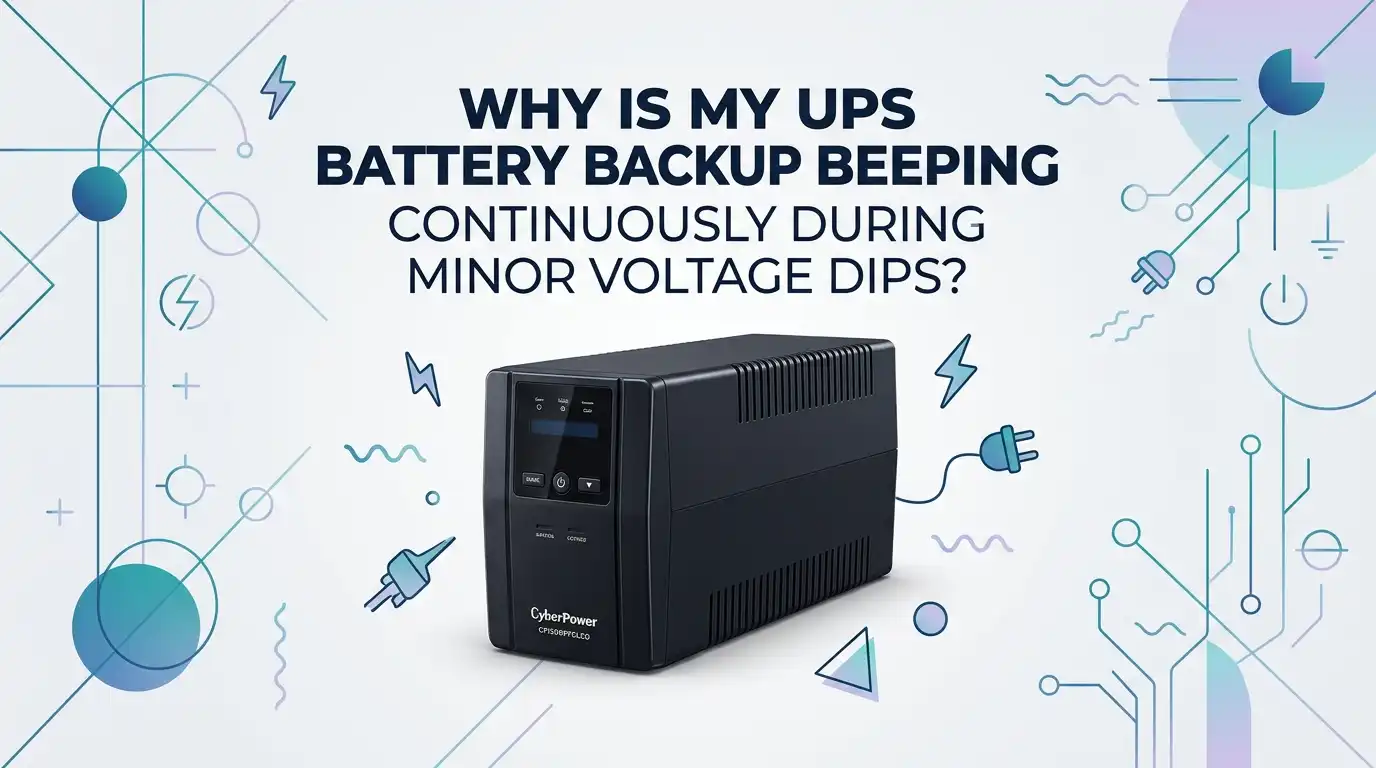
Why Is My UPS Battery Backup Beeping Continuously During Minor Voltage Dips?
A UPS should make you feel safe. It should sit quietly, protect your devices, and step in only when power gets rough. So when it starts beeping again and again during what seems like a tiny voltage dip, it gets annoying fast. It can also make you worry that something bigger is wrong.
The good news is that this problem often has a clear cause. In many cases, the UPS is reacting to short voltage sags, battery wear, overload, heat, or a sensitivity setting that is too strict.
That means the beeping is usually fixable. You do not always need a new unit right away. In this guide, you will learn what the beeping means, how to test the real cause, and what to do next in a calm, practical way.
Key Takeaways
- A beeping UPS during minor voltage dips usually means it is switching to battery mode. Many units are built to react fast to unsafe input power. Even a short sag can trigger the alarm if the voltage drops below the unit’s safe range or if the incoming power looks unstable.
- The battery is often part of the problem. An older battery can make a small power event feel bigger than it really is. If your UPS battery is around three to five years old, it may no longer hold charge well or pass self tests reliably.
- Load matters more than most people think. If the UPS is close to its limit, a small dip can push it into battery mode more often. A lighter load gives the UPS more room to work and reduces stress on both the inverter and the battery.
- Sensitivity settings can cause frequent beeping. Some UPS models let you choose high, medium, or low sensitivity. A very sensitive setting can protect equipment well, but it can also cause many battery transfers in homes with normal voltage swings.
- Heat, bad outlets, and poor circuit quality can also trigger alarms. A loose outlet, a shared heavy load, or a hot room can make the UPS behave badly. Simple checks often reveal the real issue faster than guesswork.
- Start with safe, low risk fixes first. Check the load, battery age, wall outlet, and settings. Then run a self test. If the beeping continues after that, the next step may be a battery replacement, electrician visit, or a better UPS type for your power conditions.
What Your UPS Is Trying to Tell You
A UPS does not beep for fun. It beeps because it wants your attention. In most home and office units, repeated beeps mean the UPS has moved from wall power to battery power. That switch can happen during a full outage, but it can also happen during a small voltage sag.
Some brands use short beeps for battery mode, a long tone for overload, and faster beeps for low battery. A few models also use steady alarms for heat or internal fault conditions. So the sound pattern matters. Do not treat every beep as the same problem.
Your first job is to check the front panel lights, display, or software log. If the screen says on battery, low battery, overload, or replace battery, you already have a strong clue. This saves time and keeps you from changing the wrong thing.
Why Small Voltage Dips Can Trigger Loud Beeping
A minor voltage dip can still be a real power quality event. Power experts define a voltage sag as a short drop in voltage that lasts from a tiny fraction of a second up to less than a minute. That is long enough to upset sensitive electronics and long enough for a UPS to react.
Your UPS watches more than raw voltage. It may also check frequency and the shape of the incoming power. If the input looks too weak or too messy, the UPS switches to battery to protect your devices. That is why lights in the room may look normal while the UPS still starts beeping.
This is common in older buildings, shared circuits, and places where large appliances start up often. Air conditioners, refrigerators, laser printers, and even power tools can cause short dips that your UPS notices before you do.
How to Confirm the UPS Is Really Switching to Battery
Do not assume. Confirm it. Many users hear beeping and think the battery is dying, when the UPS is actually just doing its job again and again. That difference matters because the fix is different.
Start by watching the unit during the next beep. Check whether the on battery light turns on. If your model has software, open the event history and look for entries like transfer to battery, input undervoltage, or poor power. Those logs are often more honest than memory.
Then do a simple outlet test. Move the UPS to another known good wall outlet on a different circuit and see if the beeping changes over the next day or two. If the beeping stops, the original outlet or circuit is likely the issue. If it continues everywhere, the UPS itself may need attention.
Check the Battery Age Before Anything Else
UPS batteries do not last forever. In many home and small office models, battery life often falls in the three to five year range. Heat, frequent transfers, and heavy loads can shorten that life even more.
An aging battery may still seem fine during normal use, but it can struggle during even a small voltage dip. The UPS senses weak battery performance and may beep more often, fail a self test, or move into low battery mode faster than expected. That makes a small power problem sound like a major one.
Look for a battery date label, purchase record, or software battery health report. If the battery is old and the unit has been switching often, replacement is a smart early step.
Pros: Battery replacement is often cheaper than buying a new UPS. It can restore normal runtime and stop false alarms.
Cons: It will not fix bad wiring, overload, or a failing UPS main board.
Reduce the Connected Load and Test Again
Load is a huge factor. A UPS that is packed close to its limit has less margin when voltage dips happen. The unit may transfer to battery sooner, beep more, and drain faster. That is why the same UPS can act fine one month and get noisy the next after you add a monitor, speaker set, router, or printer.
Unplug non essential devices from the battery backed outlets. Keep only the core gear connected, such as your computer, modem, router, and main display if truly needed. Leave printers, heaters, fans, and chargers off the battery side. Then watch whether the beeping becomes less frequent.
Many support guides also warn against plugging surge strips into UPS outlets. That can confuse load behavior and create extra problems. A lighter, cleaner setup is easier for the UPS to manage.
Pros: Fast, free, and safe. It also improves battery runtime.
Cons: It may not solve the issue if the main cause is voltage quality or battery wear.
Review Sensitivity or Transfer Settings
Many UPS models include sensitivity settings. These are often labeled high, medium, and low. High sensitivity makes the unit react sooner to voltage changes and dirty input power. That protects equipment well, but it can also cause frequent battery transfers in places where the power is usually safe but not perfectly clean.
If your manual allows it, try moving from high to medium first. Give it time and observe the result. Do not jump straight to the lowest setting unless your power conditions clearly call for it. A small adjustment can widen the acceptable voltage window enough to stop nuisance beeping.
This is one of the most useful fixes for homes with routine dips that do not actually harm modern electronics. But do it carefully. Too low a sensitivity setting can let poor power pass through more often.
Pros: Quick fix, no cost, often very effective.
Cons: If set too low, the UPS may react later to real problems.
Make Sure AVR Is Actually Helping
Many line interactive UPS units use AVR, which means automatic voltage regulation. AVR helps the UPS correct small low voltage or high voltage conditions without using the battery. That is a big deal because it reduces wear on the battery and cuts down on beeping.
If your UPS includes AVR but still jumps to battery during every tiny dip, something may be off. The dip may be deeper than you think, the load may be too high, the battery may be weak, or the unit may be set too sensitive. In some cases, the AVR stage itself may not be working as expected.
Check your model’s display or software for messages like AVR boost or AVR trim. If you never see those and only see on battery events, that is a clue. Your UPS may be bypassing the easier correction stage and going straight to battery.
Pros: AVR saves battery life and reduces noise.
Cons: AVR cannot fix every power problem, especially severe sags or waveform issues.
Test the Wall Outlet and the Circuit Quality
A UPS can only work with the power it receives. If the wall outlet is loose, worn, poorly grounded, or shared with a heavy load, the UPS may beep again and again even if the unit itself is fine.
Start with the basics. Plug the UPS directly into the wall. Do not use an extension cord. Make sure the plug fits tightly. Then think about what else is on that circuit. Space heaters, microwaves, refrigerators, air conditioners, and laser printers can all create sudden demand that causes short dips.
If possible, move the UPS to a different room or circuit for a test period. This simple move can reveal whether the problem lives in the power line rather than in the UPS. If one outlet causes trouble and another does not, that is useful proof.
Pros: Helps isolate bad wiring or overloaded circuits quickly.
Cons: It takes time to observe patterns, and some circuit issues need a professional to confirm.
Check Heat, Dust, and Placement Problems
Heat can make UPS behavior worse. Some units beep continuously or enter warning mode if internal temperature rises too much. Even if heat is not the only cause, it can push a borderline battery or stressed UPS into louder, more frequent alarms.
Look at where the UPS sits. Is it under a desk with no airflow? Is it next to a heater, sunlit window, gaming tower exhaust, or closed cabinet wall? Dust buildup around vents can also trap heat and reduce performance.
Move the unit into an open, cool spot with a little space on each side. Clean dust carefully with the unit powered down and unplugged. Do not block the vents with papers or fabric. A cooler UPS usually has better battery life, better charging, and fewer strange alarms.
Pros: Free fix that improves overall lifespan.
Cons: It will not solve a real voltage problem by itself.
Run a Self Test and Do a Safe Reset
If the obvious checks do not solve the issue, run the built in self test if your model supports one. Many UPS units can test battery health and internal operation from the front button or software app. A failed self test often points to a weak battery or hardware problem.
Before you do this, let the UPS charge fully for several hours with a normal load. Then start the self test. Watch for warnings like replace battery, overload, or fault. If your model allows a soft reset, follow the manual exactly. This can clear stuck alerts on some units.
A safe reset is helpful after an overload event or after you remove extra devices. But it is not magic. If the beeping returns soon after the reset, the UPS is still seeing a real issue that needs fixing.
Pros: Good for diagnosis and clearing temporary faults.
Cons: It does not repair worn batteries or damaged internal parts.
Know When the Battery Needs Replacement
A UPS battery usually gives warning signs before it fully fails. You may hear more frequent beeping during short dips. Runtime may drop hard. The unit may fail self tests, flash a replace battery light, or shut down faster than it used to.
If the battery is old, the self test fails, and the UPS keeps beeping during small power events, replacement is very likely the right move. Use the correct battery type for your model, and follow safe replacement steps. After replacement, give it a full charge and then test again.
Do not ignore repeated low battery alarms. A weak battery can leave you unprotected the day you actually need backup power. Replacing the battery early is often cheaper than losing work or stressing your devices.
Pros: Restores backup ability and often stops recurring alarms.
Cons: If the UPS electronics are failing, a new battery will not be enough.
Decide If the Whole UPS Is the Real Problem
Sometimes the battery is fine and the wiring is fine, but the UPS itself is aging out. Internal relays wear. Charging circuits drift. Sensors become less stable. A unit that has seen years of heat and frequent battery transfers can start acting too nervous.
If you replaced the battery, reduced the load, changed outlets, adjusted sensitivity, and still get constant beeping during small dips, the UPS may be the weak link. This is even more likely if the unit is old, has a burnt smell, gets unusually warm, or fails self tests after basic troubleshooting.
At that point, compare the cost of another battery or service with the cost of a new UPS that better matches your environment. Do not keep trusting a unit that behaves unpredictably. A backup device must be dependable to be useful.
Pros: Replacing an old UPS can solve repeated faults for good.
Cons: It costs more than a battery swap.
Consider a Better Long Term Fix for Dirty Power
If your home or office power dips often, you may need a better long term answer than repeated battery transfers. A UPS can protect equipment, but it cannot fix every building power issue alone.
One option is to use a circuit with less shared load. Another is to have an electrician check for loose neutrals, poor grounding, or overloaded branches. In some places, a better class of UPS may help more, especially if your current unit is very basic and your power quality is rough. A unit with stronger voltage regulation may stay calmer during small dips.
Think about the pattern, not just the beep. If the UPS complains every day at the same time, something in the building may be causing the dip. That pattern is valuable evidence. Use it to solve the root cause instead of muting symptoms.
Pros: Solves the cause, not just the noise.
Cons: May require more money, testing, or professional help.
When You Should Call an Electrician Right Away
Some UPS beeping is normal. Constant nuisance beeping is annoying. But a few signs mean you should stop guessing and get expert help quickly.
Call an electrician if lights dim sharply when appliances start, outlets feel loose or warm, breakers trip, or the UPS beeps in one outlet but not another. Also call if you suspect poor grounding or if several devices in the room act strangely during voltage dips. These are building power clues, not just UPS clues.
Call the UPS maker or replace the unit if you smell burning, see swelling in the battery area, notice leaking battery material, or hear alarms that continue after safe load reduction and battery checks. Safety comes first. A noisy UPS is frustrating, but a failing power system can be dangerous.
Common Mistakes That Make the Beeping Worse
A lot of users make the same small mistakes. They plug printers into battery outlets, hide the UPS in a hot cabinet, ignore an old battery, or lower sensitivity too much without testing the result. These choices can turn a simple issue into constant noise.
Another mistake is muting the alarm without fixing the cause. A muted UPS may seem peaceful, but it can still switch to battery again and again and wear the battery out faster. Some users also stack surge strips, extension cords, and adapters, which creates messy load behavior.
The best fix is usually simple and methodical. Check the battery age. Reduce the load. Test another outlet. Review settings. Run a self test. Then decide on battery replacement, electrician help, or UPS replacement if needed. That order saves time and money.
FAQs
Why does my UPS beep even when the power does not go out?
A full outage is not required. Your UPS may beep because the voltage dips for a brief moment, the frequency shifts, or the incoming power looks unstable. The unit reacts to protect your devices, even if the room lights seem normal. That is why software logs and front panel messages are so helpful.
Is it bad if my UPS switches to battery many times a day?
Yes, it can be a problem. Frequent switching wears the battery faster and may shorten UPS life. A few occasional transfers are normal, but many transfers every day usually point to high sensitivity, poor circuit quality, overload, or a weak battery that needs attention.
Should I mute the UPS alarm?
You can mute it for comfort on some models, but that should never be the final fix. If the unit keeps beeping during minor voltage dips, you still need to find out why. Muting the sound without solving the cause can hide a real battery, load, heat, or wiring issue.
How do I know if I need a new battery or a new UPS?
Start with battery age and self test results. If the battery is old or fails testing, replace it first. If a fresh battery does not help and the UPS still behaves badly after outlet checks, load reduction, and setting review, the UPS itself may be worn out and ready for replacement.
Can a bad wall outlet make a UPS beep continuously?
Yes. A loose, weak, or poorly grounded outlet can cause repeated transfers to battery. So can a shared circuit with heavy devices. Testing the UPS on a different outlet or circuit is one of the easiest ways to see whether the power source is part of the problem.

Hi, I’m Rue Hessel, the founder and voice behind TheGenTool. I’m a passionate tech enthusiast who loves exploring the latest gadgets, smart devices, and electronics that shape our everyday lives. Through my website, I share honest, hands-on reviews of trending Amazon products to help you make smarter and more confident buying decisions.