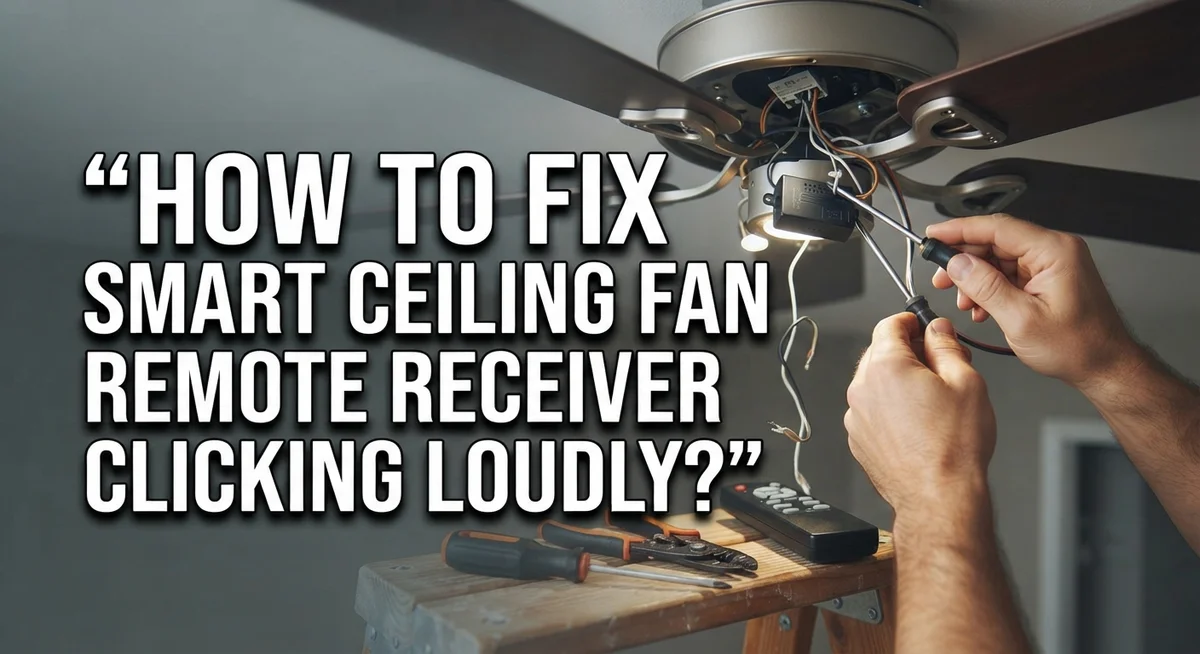
How To Fix Smart Ceiling Fan Remote Receiver Clicking Loudly?
That loud clicking from your ceiling fan remote receiver can be really annoying. It often shows up at night or during quiet moments. And it makes you wonder if your fan is about to break down.
The good news? This problem is common. Most of the time, you can fix it yourself without calling an electrician.
The clicking noise usually points to a few simple issues. Loose screws, wiring problems, or a tired motor bearing are often the culprits. Sometimes the receiver itself is malfunctioning.
In a Nutshell
- Check hardware first. Loose screws and blade brackets often cause loud clicking. Tighten every fastener you can find.
- Test your dimmer switch. Standard dimmers do not work with smart ceiling fans. Swap it for a compatible switch if needed.
- Look at the receiver. If your remote clicks but the fan or light stays off, the receiver is likely faulty. This means it may need a replacement.
- Inspect wiring carefully. Always turn off power before checking wires. Loose connections can create clicking sounds and safety risks.
- Try a bearing fix. A gentle tap with a rubber mallet on the motor sometimes stops bearing noise. This works only for minor bearing issues.
- Reset and resync. Replace your remote batteries and resync it to the receiver. This simple step fixes many random clicking problems.
Why Smart Ceiling Fan Receivers Click Loudly
Smart ceiling fan receivers click loudly for several distinct reasons. Understanding what causes the noise helps you fix it faster and more effectively.
Loose hardware is the most common culprit. Screws and blade brackets vibrate during operation. Over time, they work themselves loose. This vibration creates that irritating clicking sound you hear. The receiver itself may be secure, but loose parts elsewhere in the fan assembly cause the noise.
Wiring problems also trigger clicking. Loose electrical connections inside the receiver or at connection points create intermittent contact. This breaks and restarts power flow repeatedly. Each interruption produces a clicking sound. Damaged insulation on wires can cause similar issues.
Motor bearing issues generate clicking too. Ceiling fan motors rely on smooth bearings. When bearings wear out or lack lubrication, they click with each rotation. This noise often gets louder at lower fan speeds. The motor struggles more at slow speeds, making bearing problems more noticeable.
Receiver malfunction is another possibility. If your remote clicks repeatedly but the fan or light refuses to turn on, your receiver is likely faulty. The receiver processes signals from your remote. A broken receiver clicks without actually activating the fan or light. This indicates an internal component failure.
Incompatible dimmer switches cause clicking too. Standard wall dimmers do not work with smart ceiling fans. They interrupt power in ways that confuse the receiver. This creates rapid clicking as the receiver tries to process conflicting signals.
Battery issues in your remote matter as well. Weak batteries send weak signals to the receiver. The receiver clicks while trying to interpret unclear commands. Fresh batteries often solve this problem immediately.
Safety Precautions Before You Begin
Before you start fixing your ceiling fan remote receiver, take a few important safety steps. These precautions protect you from injury and electrical damage.
Turn off all power to the ceiling fan. Flip the breaker switch that controls your fan. Wait a full minute after turning it off. This gives any electrical charge time to dissipate safely. Never work on electrical equipment while power is active.
Let the fan cool down completely. If your fan was running, give it at least 15 to 20 minutes to cool. Hot motor components can burn your hands. The receiver and wiring also need time to cool.
Gather the right tools before starting. You will need a screwdriver set, a flashlight, and possibly a rubber mallet. Having everything ready means you won’t rush through steps. Keep a dry cloth nearby to wipe dust from components.
Clear your work area. Make sure you have enough space to work safely. Remove any obstacles that could cause you to trip or fall. A stable ladder or step stool is essential if you need to reach the ceiling.
Wear safety glasses. Dust and debris can fall into your eyes when you work overhead. Safety glasses protect your vision throughout the process.
Double check the power is off. Before touching any wiring or internal components, test the wall switch. Flip it several times to confirm nothing happens. This simple test confirms the power is truly disconnected.
Keep your remote nearby. You will need it during the resync process. Having it within arm’s reach saves time and frustration.
Step-by-Step: Diagnosing the Clicking Noise
Start by turning off power to your ceiling fan at the breaker. Wait 15 to 20 minutes for the fan to cool completely before you touch anything.
Listen carefully to the clicking sound. Does it happen when you press the remote button, or does the fan stay silent? If the remote clicks but nothing happens, your receiver likely has a problem. If the fan runs but clicks loudly, the issue is usually mechanical.
Check every screw and fastener you can reach. Loose blade brackets vibrate during operation and create clicking noises. Tighten each one firmly with your screwdriver. Pay special attention to the mounting bracket that holds the fan to your ceiling.
Look at your wall switch next. Is your ceiling fan connected to a standard dimmer switch? Smart fans do not work with regular dimmers. This mismatch causes clicking sounds and prevents the fan from responding properly. Replace a standard dimmer with a compatible wall control if needed.
Inspect the wiring carefully with power still off. Look for loose connections at the receiver terminals. Wiggle wires gently to spot any that move too easily. Loose electrical connections create clicking and prevent signals from reaching the motor.
Replace your remote batteries with fresh ones. Old batteries send weak signals that confuse the receiver. Press each remote button and listen for a clear response.
Try resetting the system. Turn the breaker off for 30 seconds, then turn it back on. This clears minor receiver glitches. Press your remote buttons again to see if clicking stops.
If clicking continues after these steps, move forward with testing the motor bearings and considering receiver replacement.
Fixing Loose Screws, Brackets, and Blade Mounts
Loose screws and brackets are often the main culprits behind clicking sounds in your smart ceiling fan remote receiver. When these fasteners vibrate during operation, they create that annoying noise you hear. The good news is that tightening them is usually a simple fix.
Start by turning off power at the breaker. Wait for the fan to cool completely. Then grab your screwdriver set and flashlight.
Check every visible screw on the fan housing. Look at the screws that hold the canopy to the ceiling. Inspect the bracket that connects the fan motor to the mounting plate. Tighten each screw firmly, but do not over tighten and strip the threads.
Next, examine the blade brackets. These metal pieces hold each blade in place. Loose blade brackets create clicking and rattling sounds. Tighten the fasteners at each blade attachment point. Make sure all connections feel secure.
Pay special attention to the receiver housing. Look for any screws that secure the remote receiver unit itself. These fasteners can loosen from vibration over time. Tighten them carefully.
While you work, listen for where the clicking originates. Does it come from the motor area or from the blades? This helps you identify which screws need attention most.
After tightening everything, turn the power back on. Test your remote to see if the clicking has stopped. If the noise continues, the problem may involve motor bearings or the receiver itself. In that case, move forward with additional troubleshooting steps.
Resolving Receiver and Remote Sync Issues
When your smart ceiling fan remote receiver clicks loudly but the fan or light doesn’t respond, you’re likely facing a receiver malfunction. This specific issue differs from mechanical clicking caused by loose parts.
Start by confirming the problem. Press your remote button and listen carefully. If you hear clicking from the receiver unit itself but nothing happens, the receiver isn’t communicating with the fan motor. This is the key indicator of a receiver issue rather than loose hardware.
Next, attempt a manual resync between your remote and receiver. Most smart ceiling fan systems have a resync procedure in their manual. This typically involves pressing specific button combinations or holding buttons for set periods. Resync clears any communication errors between devices.
Replace your remote batteries with fresh ones if resync doesn’t work. Weak batteries sometimes cause the remote to send incomplete signals, which the receiver interprets as errors and responds with clicking sounds.
If clicking persists after these steps, test your wall switch. Turn off power at the breaker. Flip your wall switch to the on position, then restore power. Some receivers click when they detect conflicting control signals from multiple switches.
Check your wiring connections next. Power off completely and inspect where wires connect to your receiver unit. Loose wire connections can cause the receiver to malfunction and produce clicking noises.
When all troubleshooting fails, your receiver likely needs replacement. A faulty receiver cannot be repaired and must be swapped with a new one. Contact your fan manufacturer for the correct replacement receiver model for your specific fan unit.
Inspecting Wiring and Dimmer Switch Compatibility
Your smart ceiling fan remote receiver often clicks loudly because of wiring problems or dimmer switch incompatibility. Let’s fix this systematically.
First, turn off power at your breaker. This keeps you safe while you inspect everything. Smart ceiling fans need special wiring connections that differ from standard light fixtures.
Check if your fan connects to a standard dimmer switch on your wall. Smart fans do not work with regular dimmers. These switches send signals that confuse your receiver and cause clicking. If you have a dimmer, you need to replace it with a regular on/off switch instead.
Next, inspect all visible wiring with power still off. Look at the connections inside your fan’s canopy. Pull gently on each wire to make sure nothing is loose. Loose wires create electrical resistance. This resistance makes your receiver click repeatedly.
Pay attention to the remote receiver unit itself. This small box usually sits near your motor. Check that all wires connect firmly to the receiver’s terminals. Wiggle each connection slightly. Tight connections should not move at all.
Look for any exposed copper wire or damaged insulation. Damaged wires need replacement before you turn power back on. If you see corrosion or burn marks, that’s a sign of serious electrical issues.
After checking wiring, reset your system. Turn the breaker off for 30 seconds. Turn it back on and test your remote. If clicking continues, your receiver likely has internal damage and needs replacement. Contact a professional electrician if you feel unsure about any wiring inspection.
Common Mistakes That Make the Problem Worse
Many people make mistakes that actually make the clicking problem worse. Understanding these errors helps you avoid them during repairs.
Ignoring loose hardware is the biggest mistake. Some owners hear clicking and assume the receiver is broken. They skip the tightening step entirely. In reality, loose screws and brackets cause most clicking sounds. Always check every fastener before considering replacement.
Using a standard dimmer switch with your smart ceiling fan creates clicking issues. Dimmer switches aren’t compatible with smart fan receivers. The receiver clicks because it can’t process the dimmer’s signal properly. Check your wall switch before troubleshooting anything else. If you have a dimmer, you need a smart compatible switch instead.
Skipping the wiring inspection leads to ongoing problems. Many people assume wiring is fine if the fan turns on. Damaged insulation or loose connections still cause clicking even when the fan operates. You must inspect all wiring with power off at the breaker.
Replacing the receiver too quickly wastes money and time. Some owners hear clicking and immediately order a new receiver. They don’t try resync procedures or battery replacement first. The receiver might work perfectly once you resync it with fresh batteries.
Mixing old and new batteries in your remote creates clicking sounds without fan response. Always use completely new batteries together. Never combine old batteries with new ones.
Overlooking the motor bearings is another common error. Clicking at low speeds often points to bearing issues, not receiver failure. A gentle tap with a rubber mallet on the motor housing sometimes helps. This simple step costs nothing and often solves the problem before you replace expensive parts.
When to Replace the Receiver or Call a Professional
Your smart ceiling fan receiver clicking loudly requires a decision. You need to know when to replace the receiver or call a professional instead of continuing troubleshooting.
Start by testing one final time. Press your remote button and watch the fan closely. If the receiver clicks but the fan blade or light never responds, replacement is your next step. A working receiver should activate the fan within one or two clicks.
Check if clicking happens at specific speeds. Low speed clicking often means loose brackets or bearing problems. These issues don’t require receiver replacement. High pitched clicking that stops the fan from working points to receiver failure.
Consider calling a professional if you feel uncertain. Ceiling fans hang above your head, so safety matters most. Professional installers have the right tools and experience to replace receivers safely. They can also identify hidden wiring problems you might miss.
You should replace the receiver yourself only if you feel comfortable working with electrical connections. Turn off power at your breaker first. Disconnect the old receiver carefully and note where each wire connects. Install the new receiver following the manufacturer’s instructions that came with it.
Call a professional when you notice these signs: You’re uncomfortable working at ceiling height. The clicking started after an electrical storm. You see burn marks or melted plastic on the receiver. Your fan installation is older than ten years.
Replacement receivers are affordable and solve the problem permanently. Professional installation costs more but gives you peace of mind. Either choice beats living with a loud clicking sound that won’t stop.
Final Thoughts
A clicking ceiling fan remote receiver feels annoying, but it rarely means disaster. Most causes are simple and fixable at home. Loose screws, worn brackets, and old batteries create most of the noise you hear.
Start with the easy fixes first. Tighten every screw and blade bracket before you assume the worst. This simple step solves the problem more often than people expect.
Check your batteries next. Fresh batteries in your remote prevent strange clicking sounds. This costs nothing and takes only a minute.
Look at your wiring and dimmer switch setup too. Standard dimmers do not work well with smart fans. This mismatch causes clicking that no amount of tightening will fix.
If clicking continues after these checks, the receiver itself may need replacement. This happens when the fan or light does not respond, even though you hear clicking. A faulty receiver simply cannot communicate properly anymore.
Trust your own comfort level here. Working near ceiling height involves real risk. If you feel unsure about electrical work, call a professional instead.
A licensed electrician can diagnose the issue quickly. They also handle wiring safely and correctly. This peace of mind often outweighs the cost of a service call.
Remember that patience helps you avoid wasted money. Testing each step in order stops you from replacing parts that were never broken. Small fixes often solve big annoyances.
Your fan should run quietly once you address the actual cause. Take your time with each step. Soon, that clicking noise will disappear for good, and your fan will work smoothly again.
Frequently Asked Questions
Why does my smart ceiling fan remote receiver click but nothing happens?
Your receiver is likely malfunctioning. When you press the remote and hear clicking without the fan or light responding, the receiver itself needs attention. This differs from clicking caused by loose hardware or wiring problems.
Start by replacing your remote batteries first. Old batteries sometimes trigger clicking sounds without sending proper signals to the receiver. If new batteries don’t solve it, your receiver probably needs replacement.
Can a dimmer switch cause my receiver to click loudly?
Yes. Standard dimmer switches are incompatible with smart ceiling fans. They create electrical interference that makes your receiver click repeatedly.
Check your wall switch. If it has a dimmer dial or slide, that’s your problem. Replace it with a standard on/off switch instead. This simple change often eliminates clicking completely.
What should I check before replacing the receiver?
Tighten every screw and bracket on your fan first. Loose hardware causes vibration that sounds like clicking from the receiver.
Next, inspect your wiring with the power off. Look for loose connections or damaged insulation. Reset your circuit breaker and test your wall switch. Finally, resync your remote to the receiver following your fan’s manual instructions. These steps solve most clicking problems without needing replacement.
Is clicking at low speeds normal?
Clicking at low speeds usually means loose brackets or motor bearing problems. The fan vibrates more at certain speeds, making loose parts rattle.
Tighten all mounting brackets securely. If clicking continues only at low speeds, your motor bearings may need attention. A professional can inspect these safely.

Hi, I’m Rue Hessel, the founder and voice behind TheGenTool. I’m a passionate tech enthusiast who loves exploring the latest gadgets, smart devices, and electronics that shape our everyday lives. Through my website, I share honest, hands-on reviews of trending Amazon products to help you make smarter and more confident buying decisions.